SamplesDemo project
Family hub
Calendars, chores, and bills in one view.
For: A household.
Live demo coming soon. The demo is built and working; the screenshots on this page are from it, with made-up data.
Before
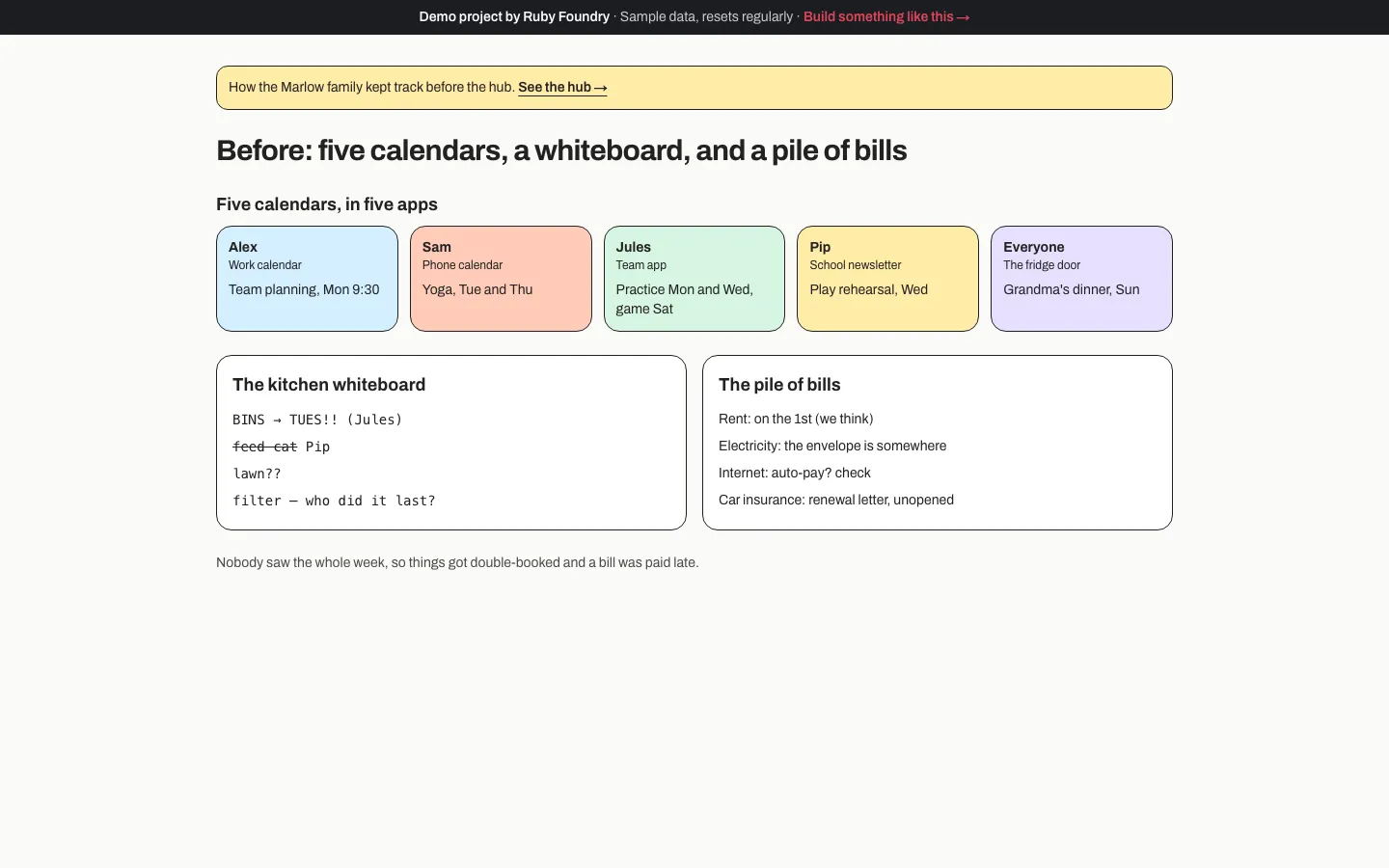
Five calendars, a whiteboard, and a pile of bills.
After
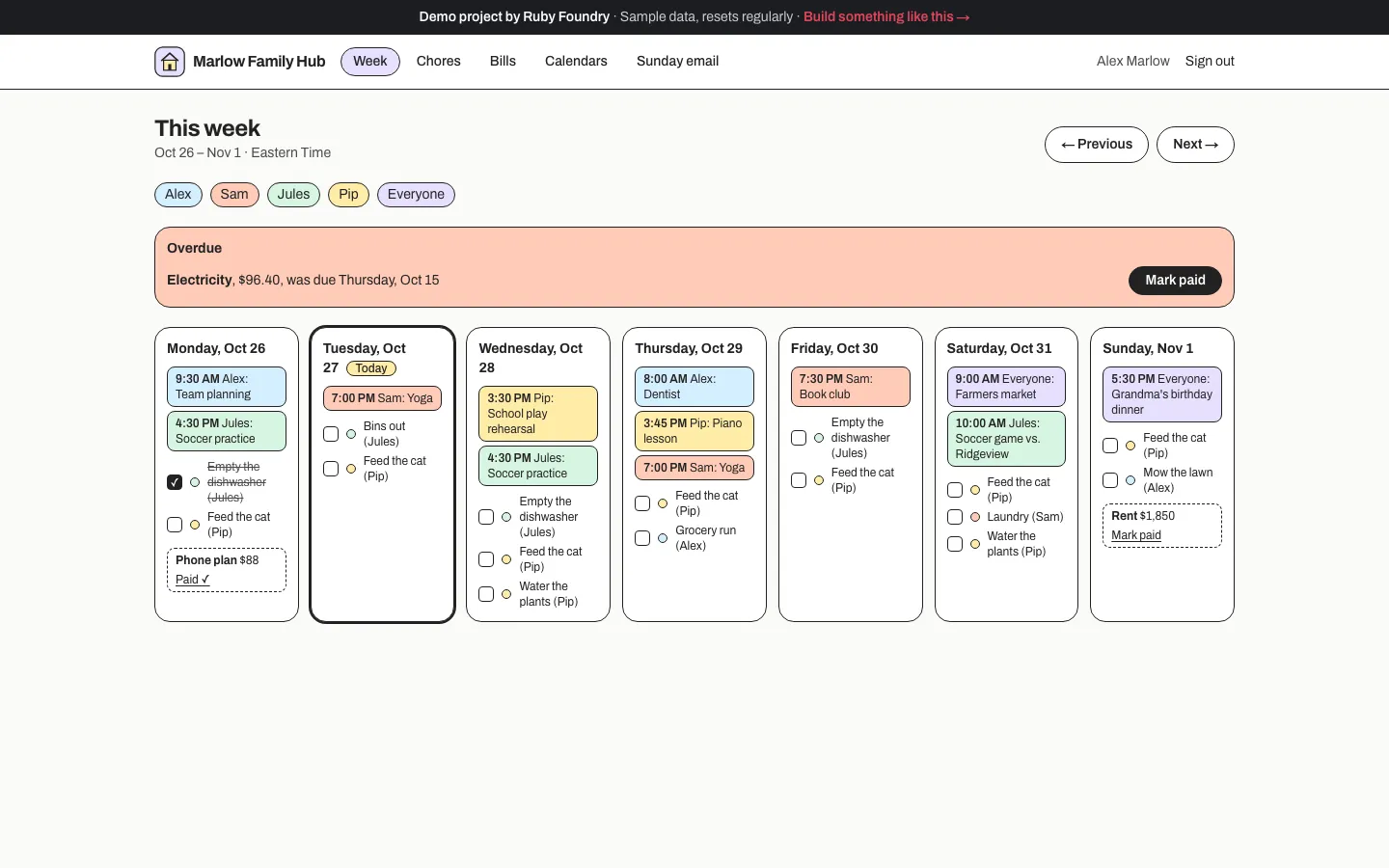
One week view for everyone: events, chores, and bills.
The problem
The Marlows are four people with five calendars, counting the fridge door.
- Alex’s work meetings are in a work calendar; Sam’s yoga is on Sam’s phone; Jules’s soccer is in the team’s app; Pip’s school play is in a newsletter.
- Chores live on the kitchen whiteboard (“BINS → TUES!!”), which nobody reads on Tuesday.
- Bills arrive in a drawer, and last month’s electricity bill was paid late.
Nobody sees the whole week, so the dentist lands on the morning of the school play, and Grandma’s birthday dinner nearly gets forgotten.
How we approached it
We take each calendar as it is, and we’d run it as a two-week project:
- Week 1: one week view. Every calendar app can share a private link, so nobody changes apps or signs in anywhere new. The hub reads those links and places everyone’s events in one Monday-to-Sunday view, each person in their own color. Repeating events, cancelled practices, and the day the clocks change are handled properly.
- Week 2: chores, bills, and Sunday. Chores and bills that repeat (“bins out every Tuesday”, “rent on the 1st”), ticked off one week at a time, with anything overdue at the top. Then the Sunday-evening email of the week ahead, the app on everyone’s phone, and two guides.
What it does
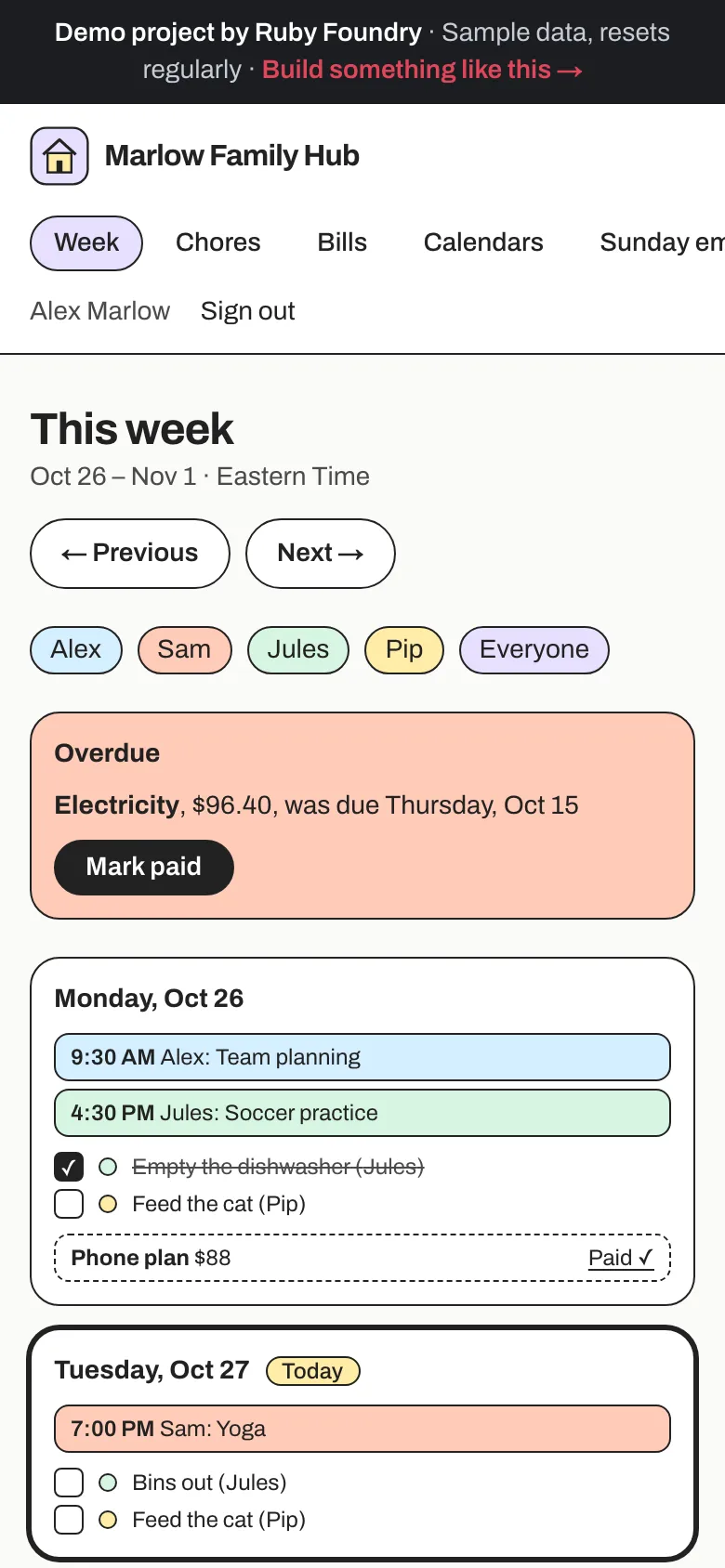
On every phone
Add it to the home screen, and the days stack for a phone.
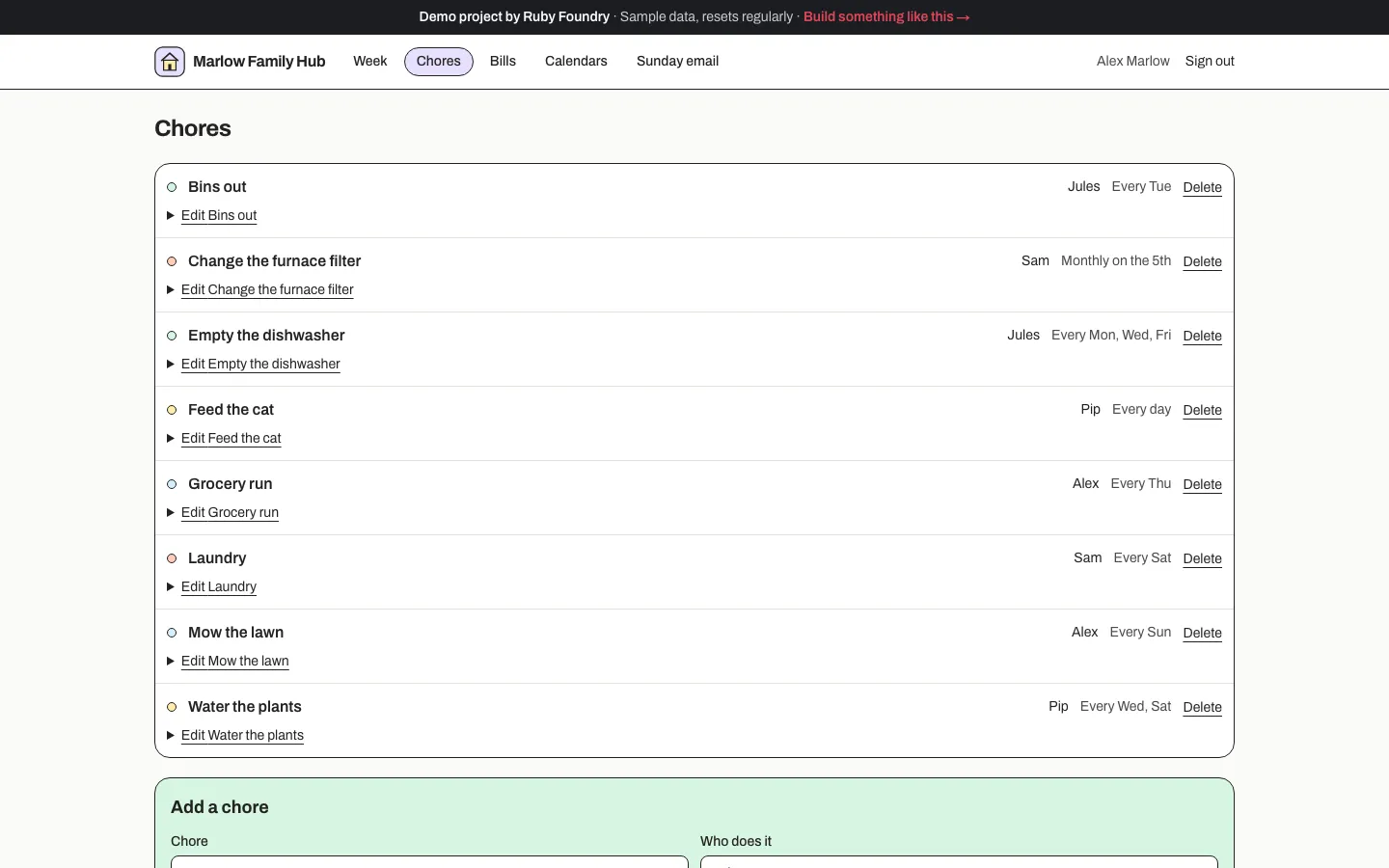
Repeats done properly
Chores repeat the way families say them: "Every Tue", "Every Mon, Wed, Fri", "Monthly on the 5th". Ticking this week's chore leaves next week's alone.
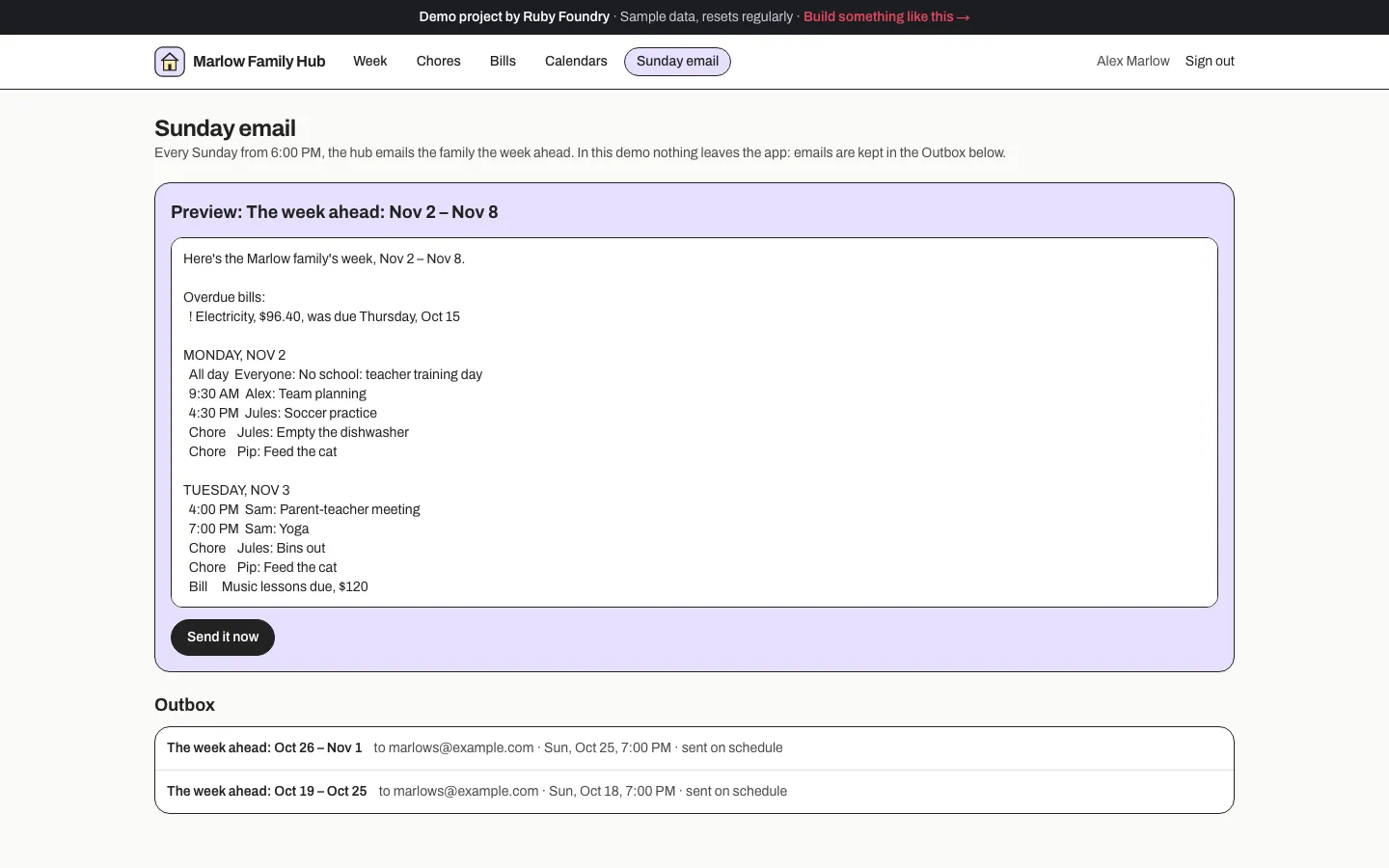
The Sunday email
Every Sunday evening the family gets the week ahead: each day's events and chores, the bills due, and anything overdue. It goes once per week.
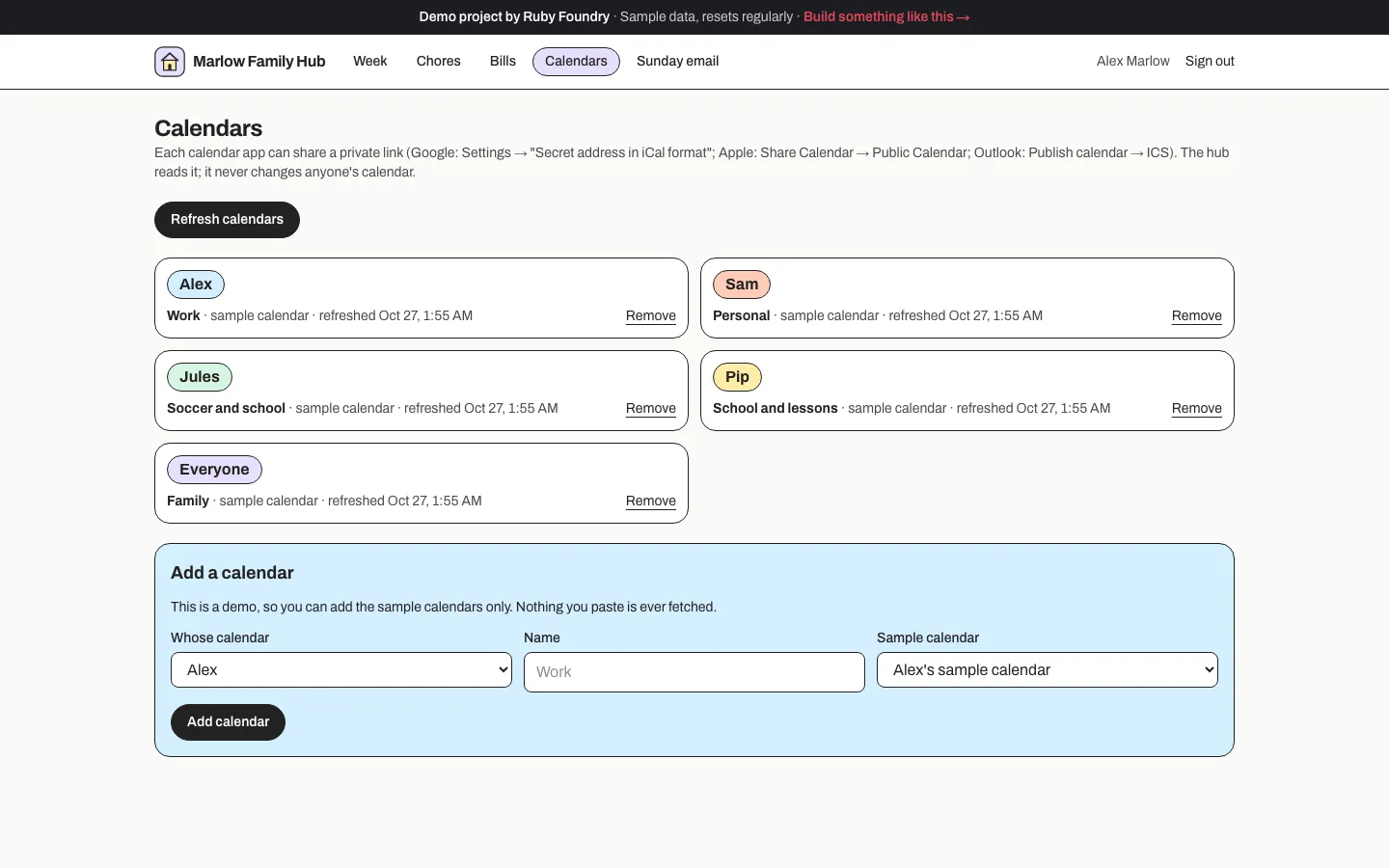
Calendars as they are
Google, Apple, and Outlook each share a private link. The hub reads it and never changes anyone's calendar.
Technology used
| Next.js and TypeScript | The week view and the screens behind it, in one widely known framework. |
|---|---|
| node-ical | Reads each family member's calendar link, including repeating and cancelled events. |
| rrule | Repeating chores and bills, on calendar dates so a clock change can't move them. |
| PostgreSQL | Chores, bills, and what's been done and paid, week by week. |
| A scheduled email | The Sunday week-ahead email, exactly once per week. In the demo it's shown in an outbox. |
| An installable web app | On every family member's home screen, no app store needed. |
| Automated tests | Checks on weeks, repeats, the clock change, calendar links that point somewhere they shouldn't, and a robot that ticks chores and pays bills in a real browser. |
Built to be handed over
Every project ends with two short guides, written for people rather than machines. The owner's guide explains, in plain words, how to run the software day to day. The engineer onboarding guide lets any developer you hire later find their way around the code, the hosting, and the data in an afternoon. You keep the code, so you are never stuck with us.
For this project, the owner's guide includes lines like this:
“In Google Calendar, Settings → the calendar → Secret address in iCal format. Paste it into Calendars.”
What a project like this looks like
Scope
- One week view from everyone's existing calendars
- Repeating chores and bills
- The Sunday email of the week ahead
- The app on every phone
- An owner's guide and an engineer onboarding guide
From first call to finish
- A free 30-minute call
- A written, fixed quote
- A kickoff call within a week of signing
- 2 weeks of building, with a written update each week
- Launch and handover
- 30 days of fixes included
Typical total
about $6,500
Your own quote is written for your project and fixed before we start.