SamplesDemo project
Website to app
A restaurant's website → phone app.
For: A restaurant.
Live demo coming soon. The demo is built and working; the screenshots on this page are from it, with made-up data.
Before
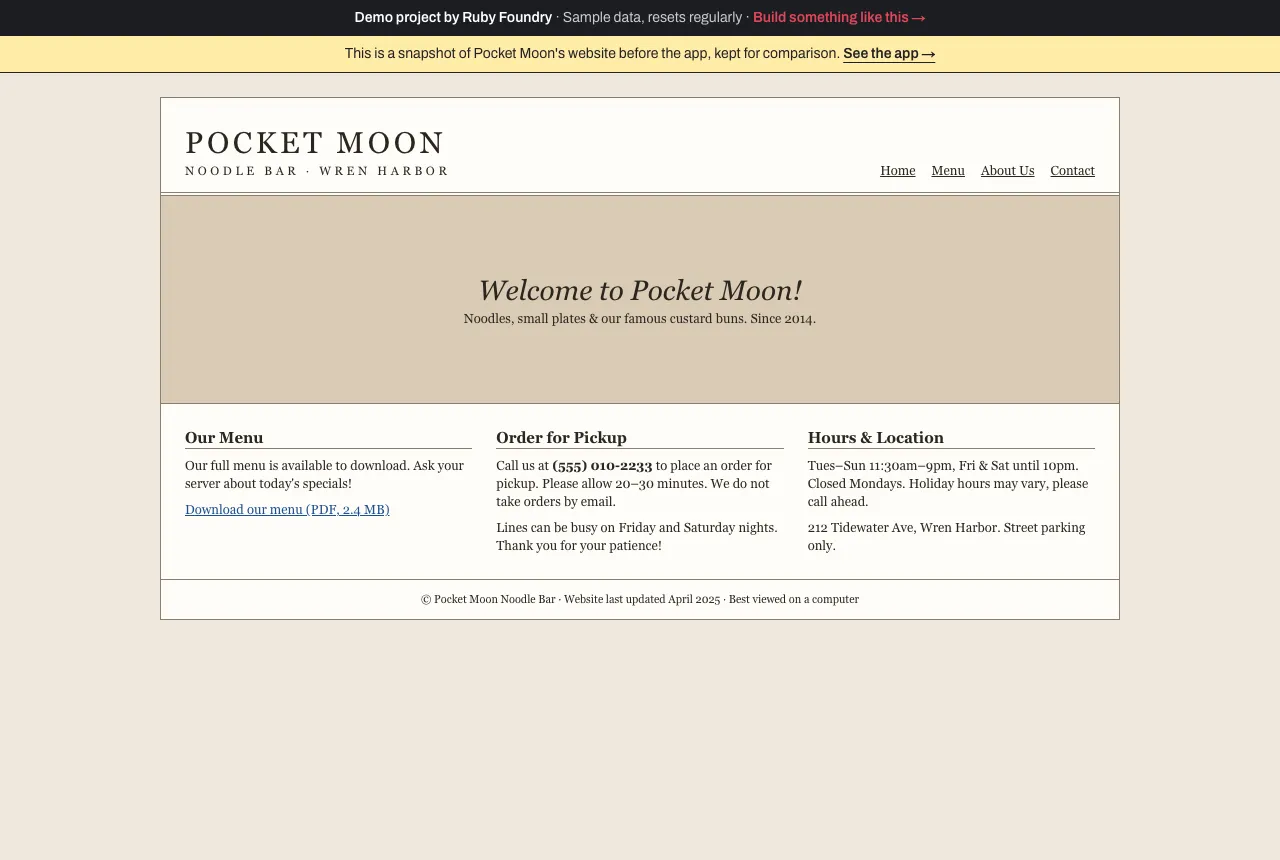
A PDF menu and a phone number for orders.
After
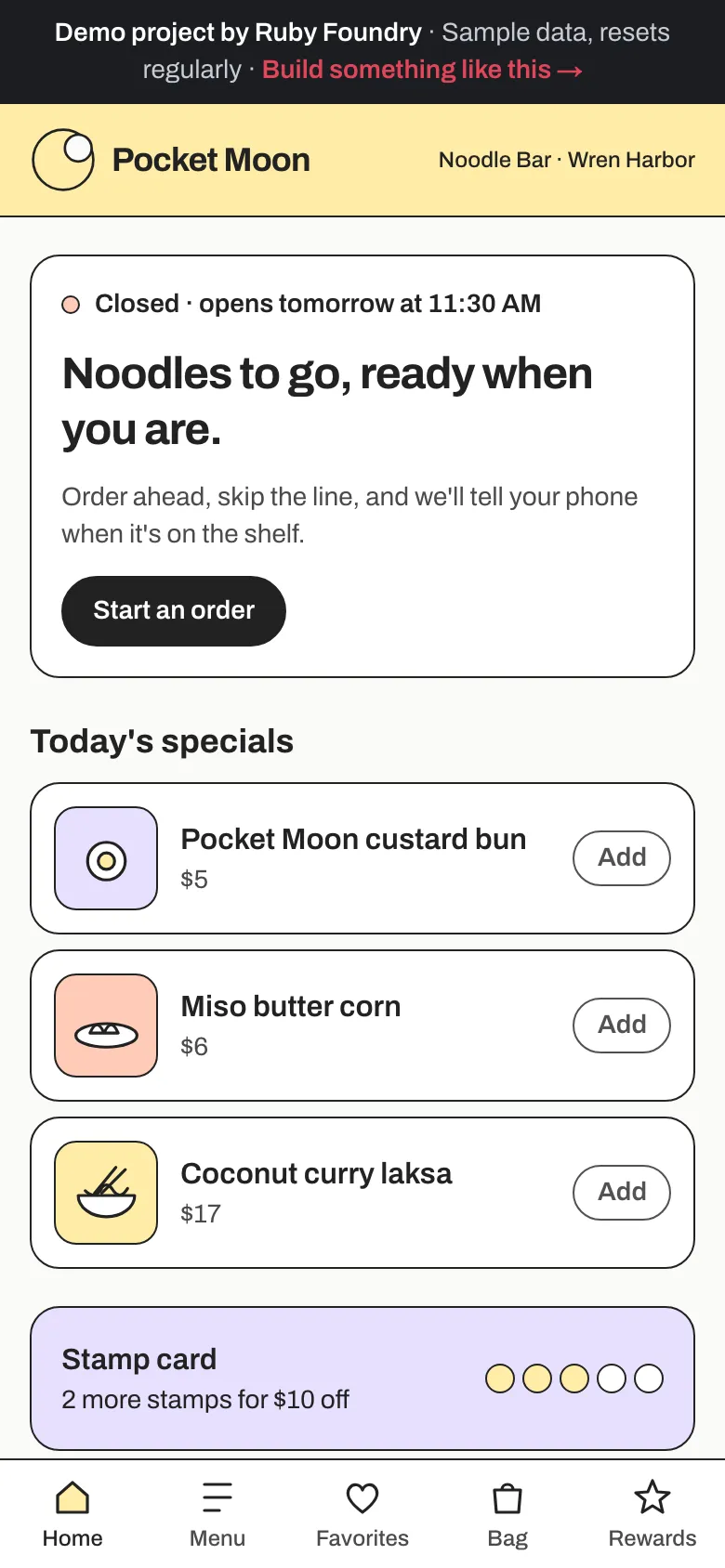
An app on the phone, with ordering and rewards built in.
The problem
Pocket Moon is a busy neighborhood noodle bar with loyal regulars and a website from 2014.
- The menu is a PDF. It still lists last spring’s prices and a dish that left the menu months ago, because updating it means finding whoever made it.
- Ordering for pickup means calling (555) 010-2233. On a Friday night the phone rings while the only free hands are carrying bowls.
- Customers stand at the counter asking “is mine ready?”, and regulars keep asking the same thing: “do you have an app?”
- Loyalty is a paper stamp card that lives in someone’s other jacket.
How we approached it
We start with what the restaurant already has, the menu, the hours, the brand, and the people who already love the place, and we’d run it as a three-week project:
- Week 1: the website audit and the menu, moved into one place. We go through the old site with the owner and list what customers actually come for: the menu, the hours, and a way to order. The menu moves out of the PDF into a database the owner edits herself, so the app can never go out of date the way the PDF did.
- Week 2: ordering and the kitchen’s board. A phone-first menu, a bag, pickup times that only ever fall inside opening hours, and a board by the pass that shows each order as New, Cooking, or Ready. The kitchen tries it during a real service before anything is public.
- Week 3: favorites, rewards, the “ready” notification, install, and handover. Hearts on dishes, a five-stamp card that replaces the paper one, the notification the moment an order hits the shelf, “Add to Home Screen” instead of an app store, and two guides.
One rule held throughout: the price a customer pays is the price on the menu right now. The app on their phone never gets to decide.
What it does
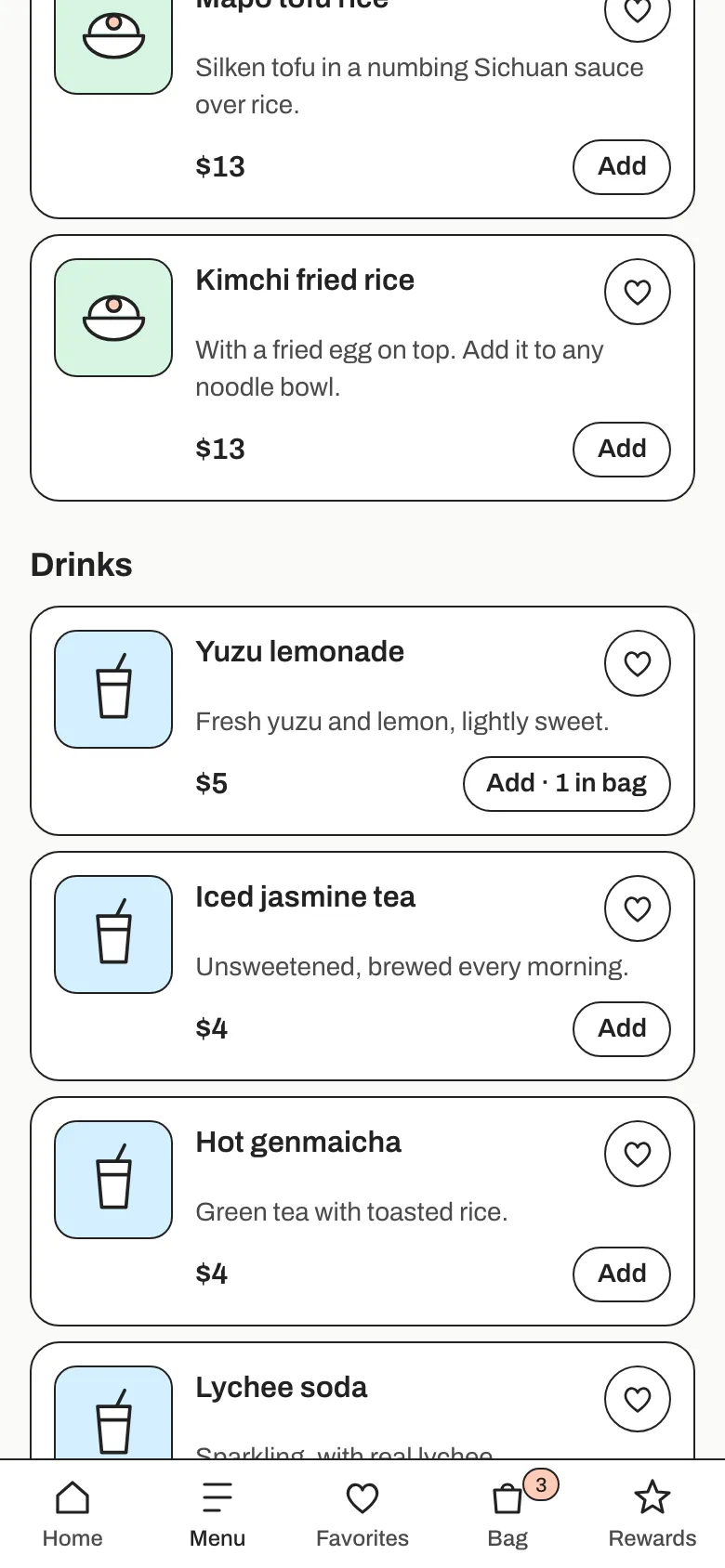
Order ahead
Browse the menu by section, add dishes, and pick "as soon as possible" or any 15-minute pickup time today or on the next open day. The menu is the owner's live menu: a dish marked sold out a minute ago can't be ordered.
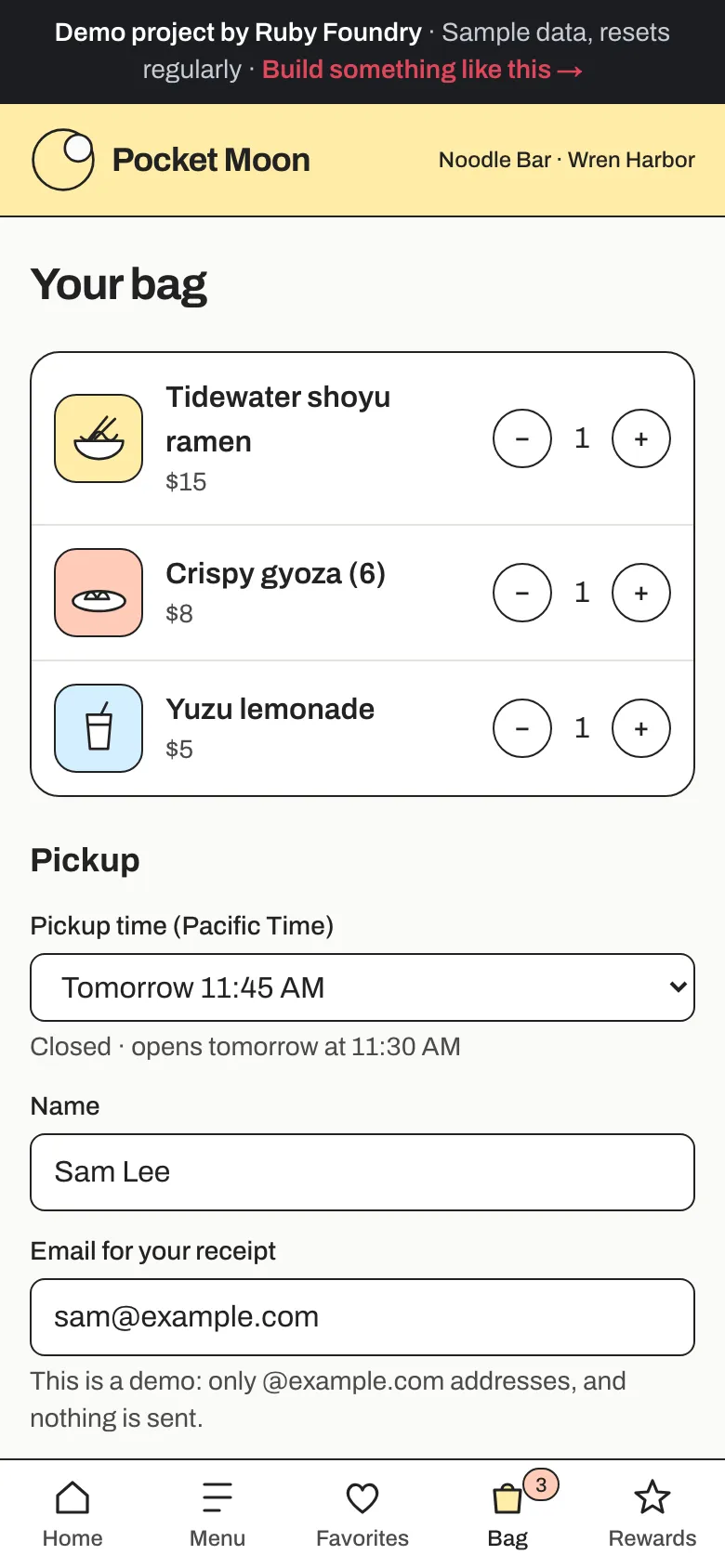
Pick a pickup time
Choose a pickup time, then give a name and an email. You pay when you pick up.
Know when it's ready
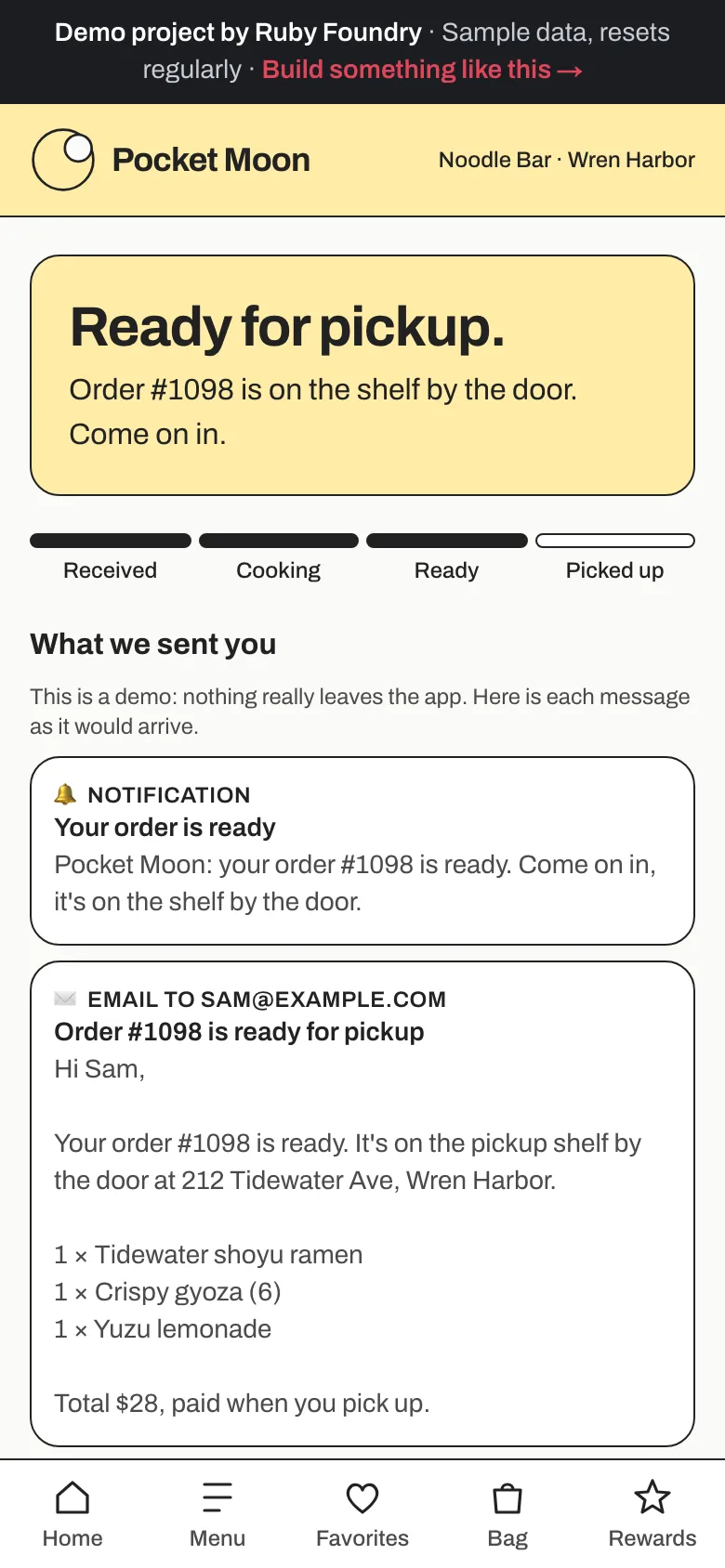
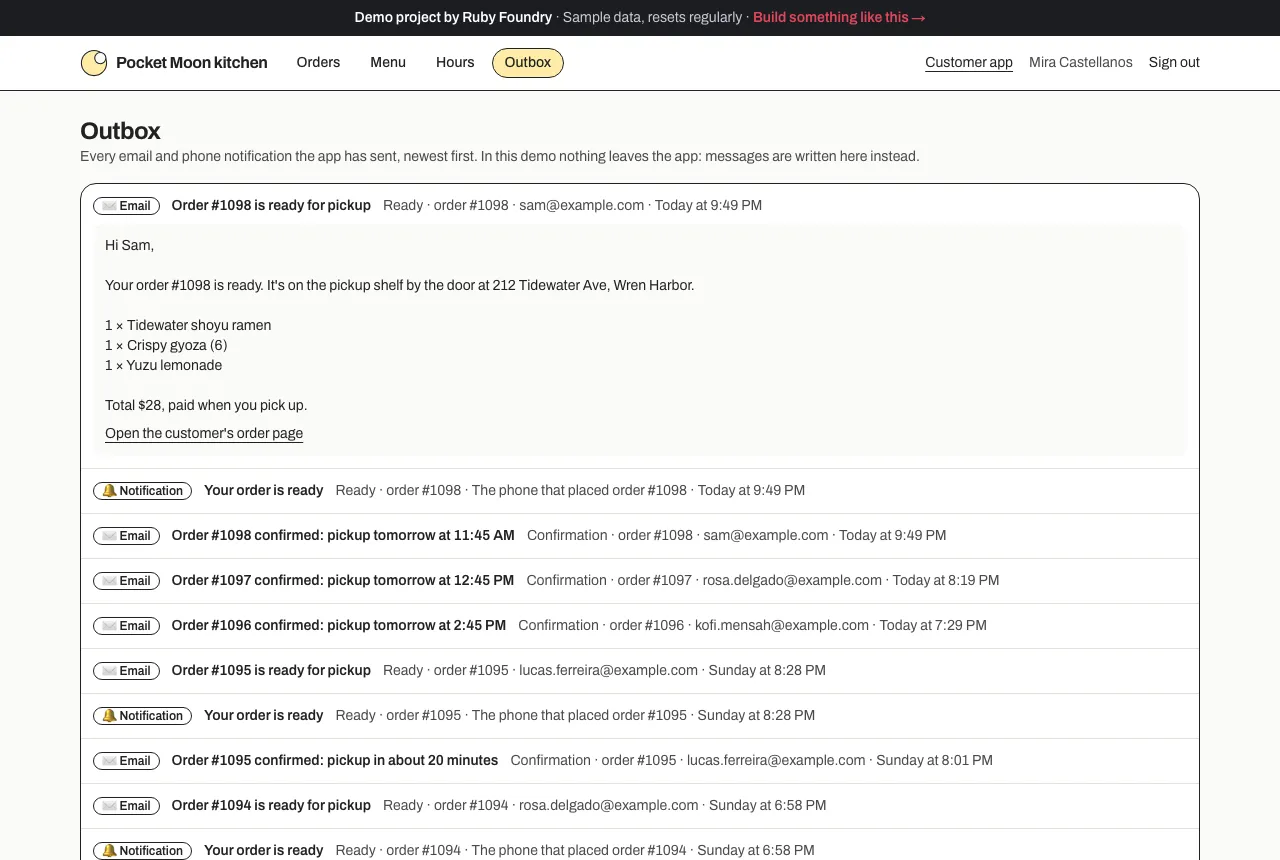
The order page moves from Received to Cooking to Ready while you watch. When the kitchen taps Mark ready, your phone shows: “Pocket Moon: your order #1098 is ready. Come on in, it's on the shelf by the door.”
Favorites and rewards, no sign-up
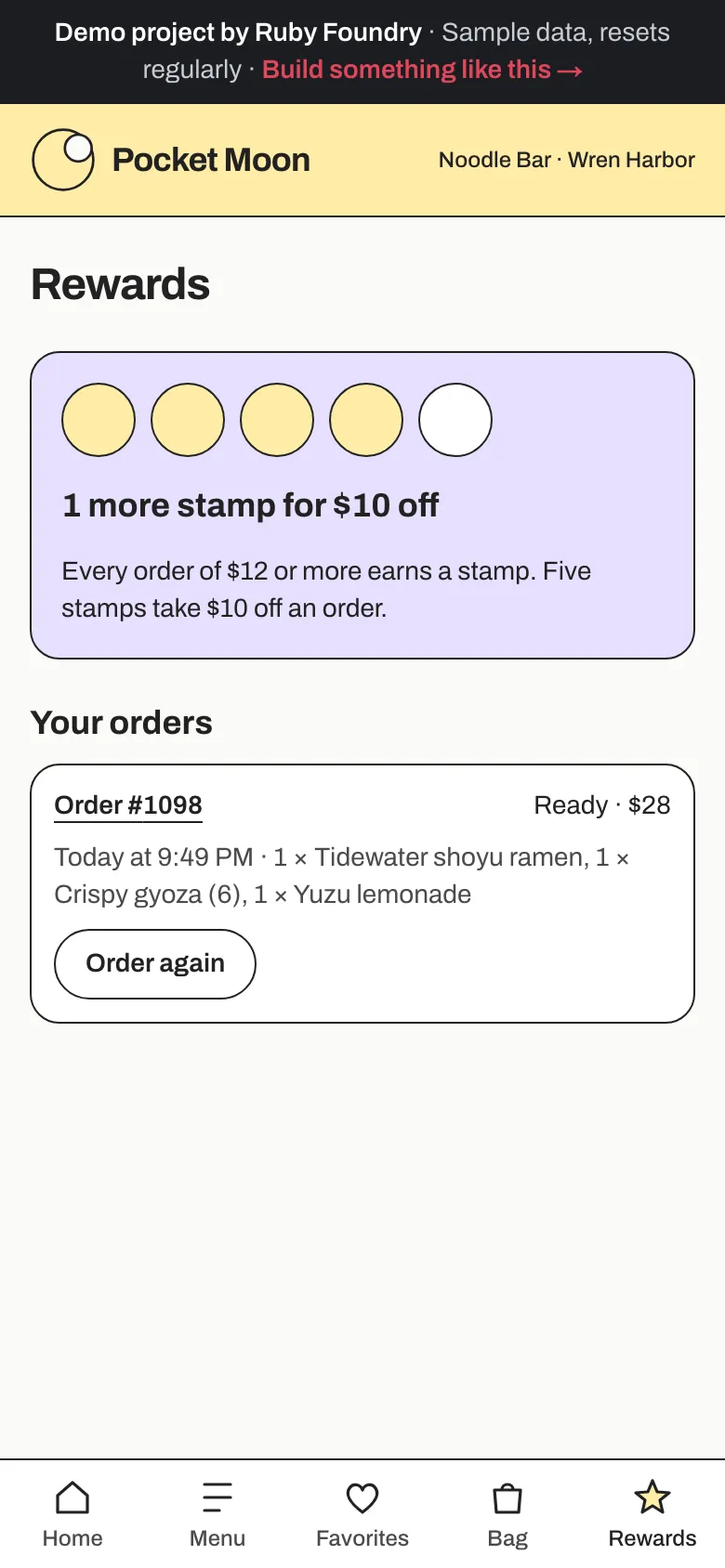
Heart a dish and it waits under Favorites. Every order of $12 or more earns a stamp, five stamps take $10 off, and past orders have Order again.
The owner's board
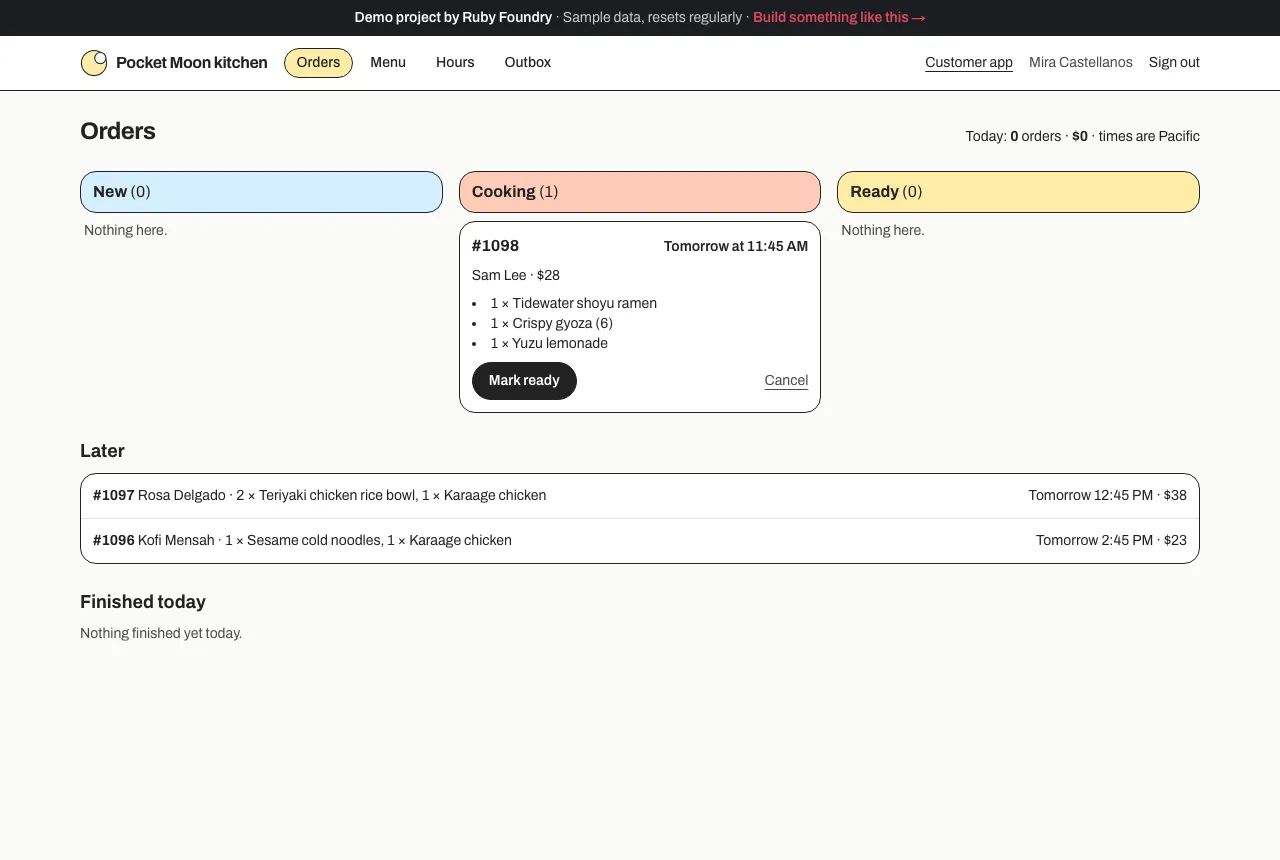
New, Cooking, and Ready columns with one big button each, orders for later underneath, and today's count and takings at the top.
Menu and hours, owner-edited
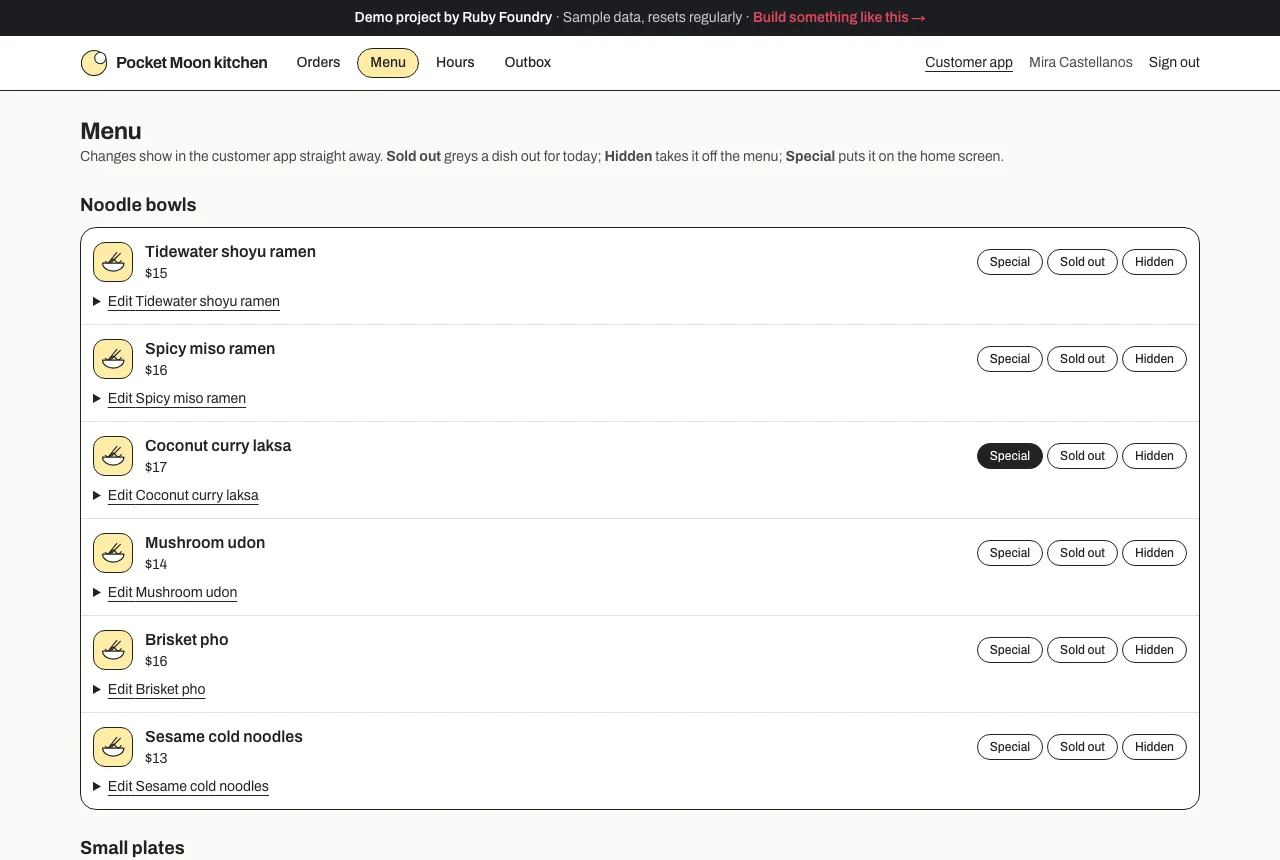
Edit a price, mark a dish sold out or special, add a dish, or change the hours. Customers see it at once.
Every message in one place
The Outbox shows each email and notification exactly as the customer got it.
Technology used
| Next.js and TypeScript | The customer app, the owner's board, and the server code behind them, in one widely known framework. |
|---|---|
| PostgreSQL | The menu, the hours, orders, favorites, and stamps. It's also where prices come from when an order is placed, so the app on a phone can never set its own price. |
| An installable web app | "Add to Home Screen" puts Pocket Moon on a phone with its own icon, opening full screen like a store app, with no app store review and every update live at once. |
| Phone notifications | "Your order is ready" appears like any other notification, and tapping it opens the order. |
| date-fns-tz | Opening hours and pickup times in the restaurant's time zone, so 11:45 AM is still 11:45 AM on the day the clocks change. |
| Zod | Checks the checkout and the owner's menu form, and explains any problem in one plain sentence. |
| An Outbox | Every confirmation, "ready" message, and cancellation, as the customer saw it. Switching on real email (for example Resend) is one small, contained change. |
| Automated tests | Over seventy quick checks on pickup times, rewards, prices, and races between the kitchen and the board, plus a robot that orders, gets notified, and edits the menu in a real browser. |
Built to be handed over
Every project ends with two short guides, written for people rather than machines. The owner's guide explains, in plain words, how to run the software day to day. The engineer onboarding guide lets any developer you hire later find their way around the code, the hosting, and the data in an afternoon. You keep the code, so you are never stuck with us.
For this project, the owner's guide includes lines like this:
“To mark a dish sold out, open Menu and tap Sold out next to it. Customers see it grayed out with 'Sold out today'.”
What a project like this looks like
Scope
- The menu moved out of the PDF into one place you edit yourself
- Phone ordering and the kitchen's order board
- Favorites, a stamp card, and a notification when an order is ready
- The app on customers' home screens, no app store needed
- An owner's guide and an engineer onboarding guide
From first call to finish
- A free 30-minute call
- A written, fixed quote
- A kickoff call within a week of signing
- 3 weeks of building, with a written update each week
- Launch and handover
- 30 days of fixes included
Typical total
about $11,000
Your own quote is written for your project and fixed before we start.