SamplesDemo project
Idea to launched app
Bookings and deposits for a new groomer.
For: A new dog groomer.
Live demo coming soon. The demo is built and working; the screenshots on this page are from it, with made-up data.
Before
“I want an app where people can book me.”
A paper diary and a stream of texts.
After
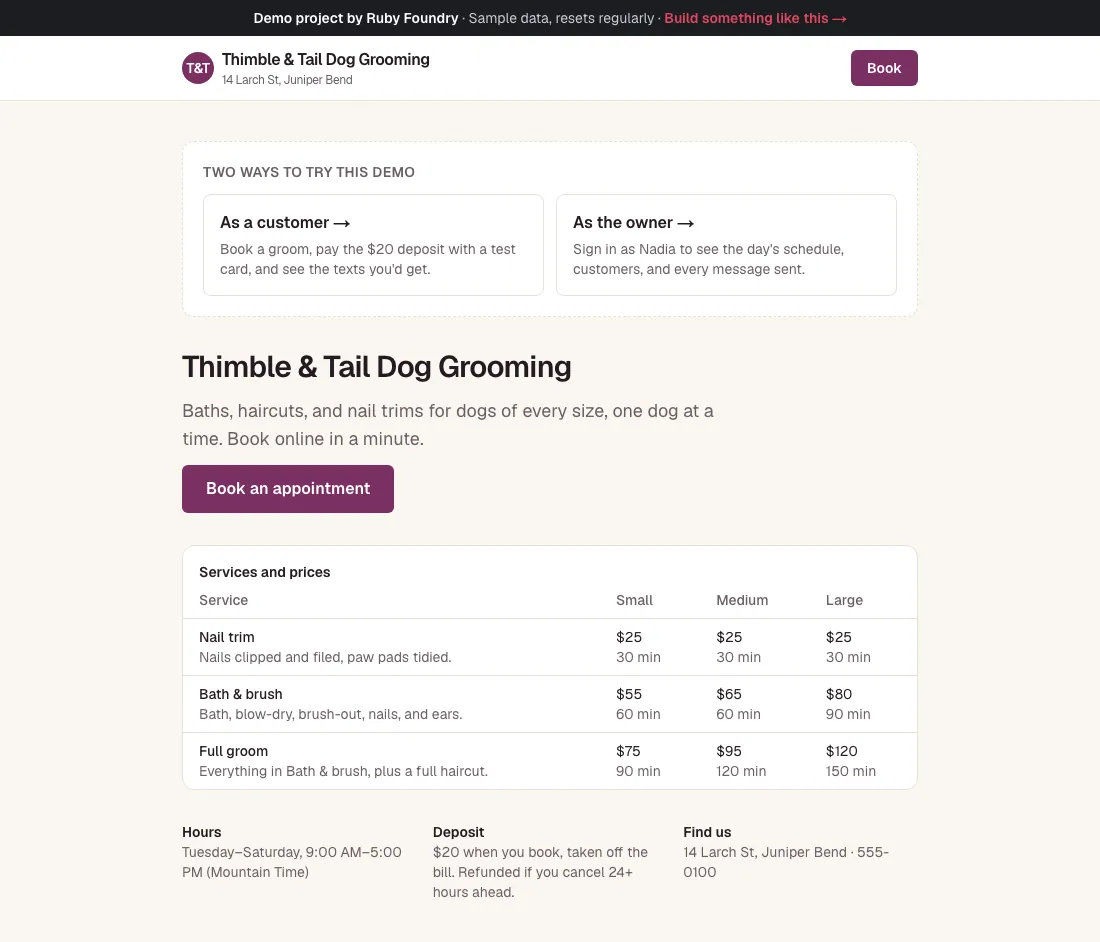
A booking app with deposits and reminders.
The problem
Thimble & Tail is one groomer, one grooming table, and a phone that rings while her hands are full of wet dog. Bookings live in a paper diary and a stream of texts.
- “Can you fit Biscuit in Thursday?” arrives at 9 PM, and the answer waits until morning.
- A Large Full groom takes two and a half hours, a nail trim thirty minutes. Squeezing one into the diary by hand is how double bookings happen.
- Roughly one appointment a week is a no-show, and an empty table is lost income.
- Reminders happen when there’s time to send them, which is rarely.
She doesn’t have a spreadsheet or an old system to upgrade. She has an idea: “an app where people can book me.” There’s no technical person on the team.
How we approached it
We start from the conversation, not the code, and we’d run it as a four-week project:
- Week 1: the idea call and a clickable sketch. We talk through how a booking really goes: what customers ask, how long each service takes for each size of dog, what happens when someone doesn’t show. By the end of the week the owner has clicked through a sketch of the booking steps on her own phone and changed the order twice. Decisions from that week: a $20 deposit, refunded with 24 hours’ notice; times in 30-minute steps; book from 12 hours to four weeks ahead.
- Week 2: booking, time slots, and deposits. The public booking page, the slot rules (only times when the groomer is really free, finishing by closing), and the deposit. She tries to book the same slot from two phones at once; only one gets it.
- Week 3: the owner’s app, reminders, and the Outbox. Today, the week’s schedule, customers and their dogs, and the confirmation and day-before reminder messages, with an Outbox so she can read every message before anything is switched on.
- Week 4: installable app, handover guides, and launch. The owner’s app goes on her home screen, she gets an owner’s guide in plain words, the next engineer gets an onboarding guide, and the booking link goes on her website and Instagram.
Two rules held throughout: never two dogs on the table at once, and every time says which time zone it’s in.
What it does
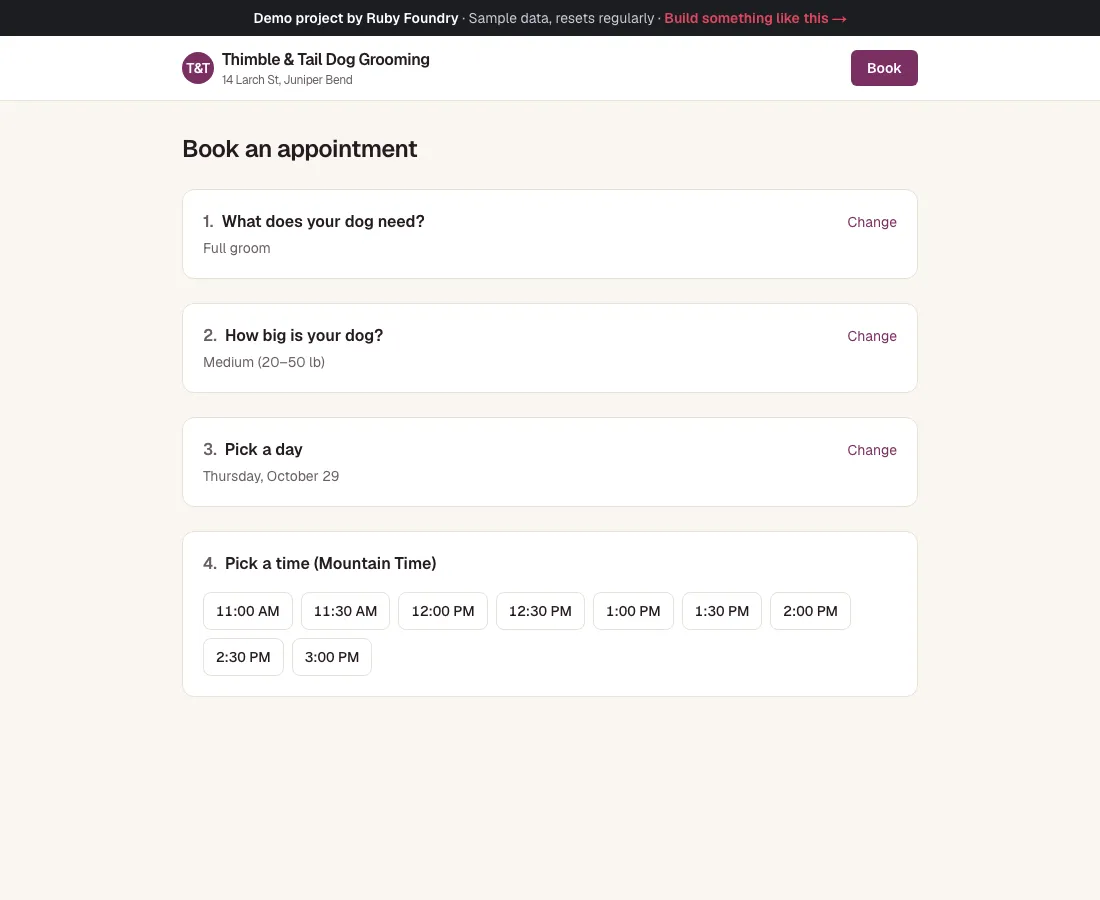
Book in a minute
Pick a service and your dog's size, then a day, then a time. Only free times are shown, each one fits before closing, and every time is labeled Mountain Time so a customer in another time zone isn't caught out.
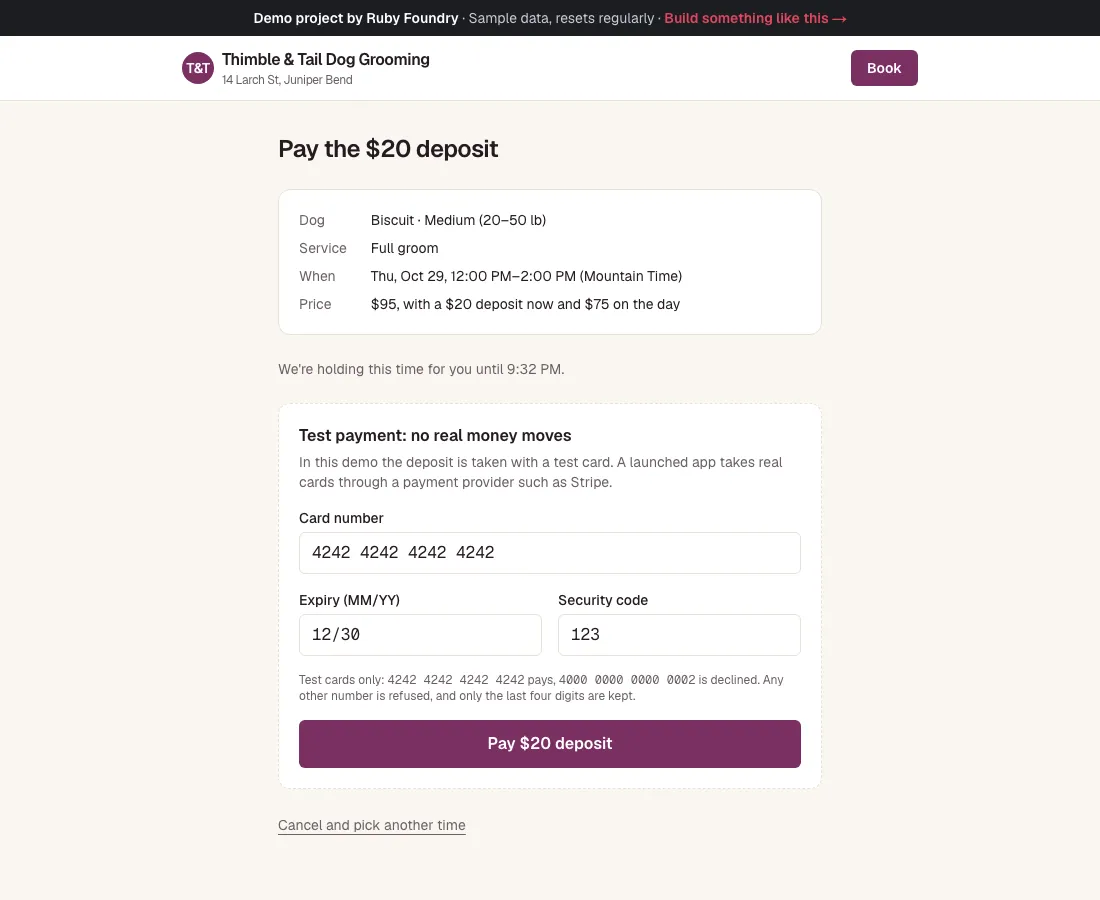
A deposit that can't take a real card
The payment page is plainly titled “Test payment: no real money moves” and takes only the standard test card, 4242 4242 4242 4242. The same page works with Stripe Checkout once the business has a Stripe account.
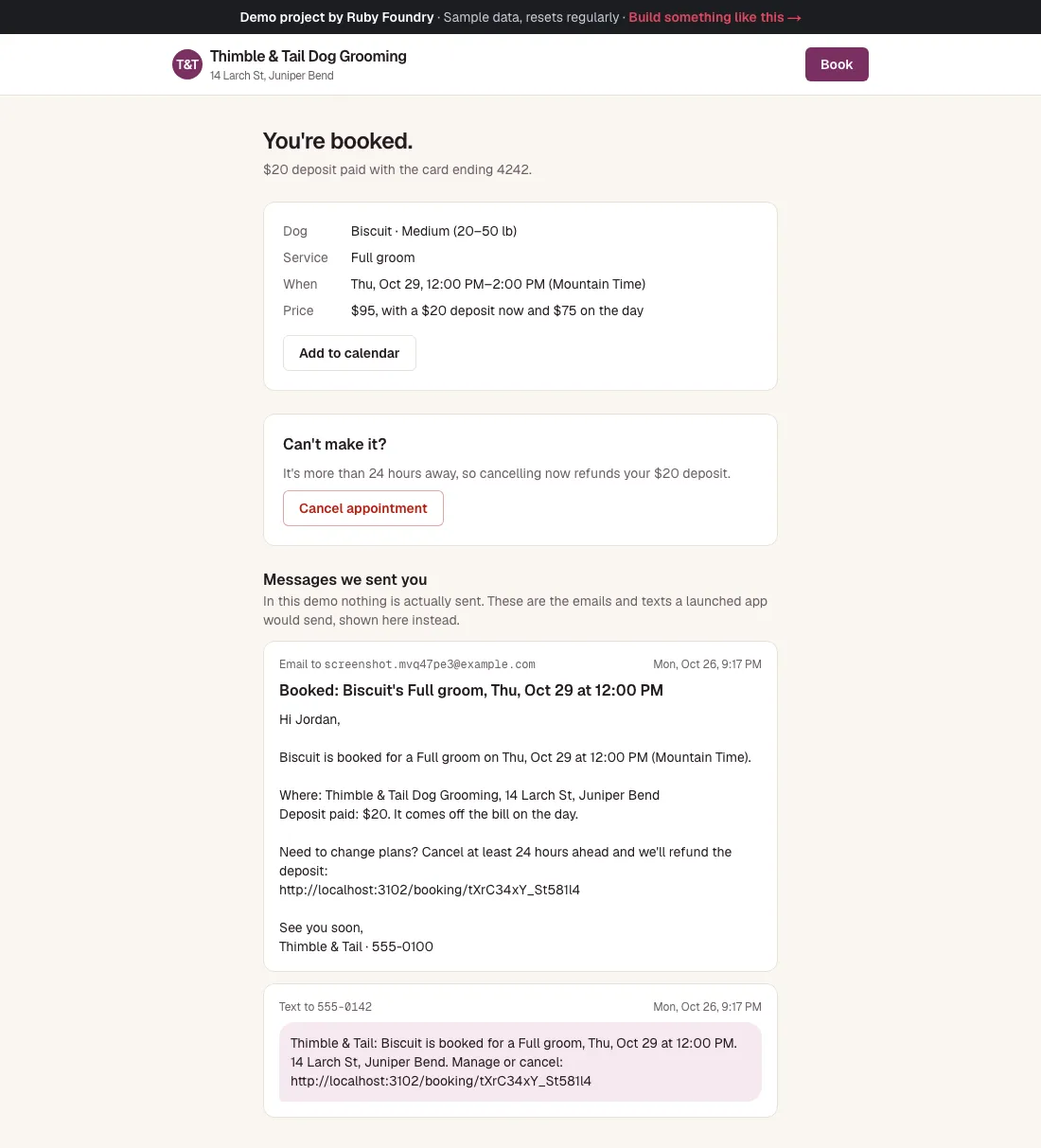
You're booked
The confirmation shows the booking, an Add to calendar button, and the exact text the customer gets: “Thimble & Tail: Biscuit is booked for a Full groom, Thu, Oct 29 at 12:00 PM. 14 Larch St, Juniper Bend. Manage or cancel: …”. That link opens the customer's own page, where cancelling with 24 hours' notice refunds the deposit.
The owner's day on her phone
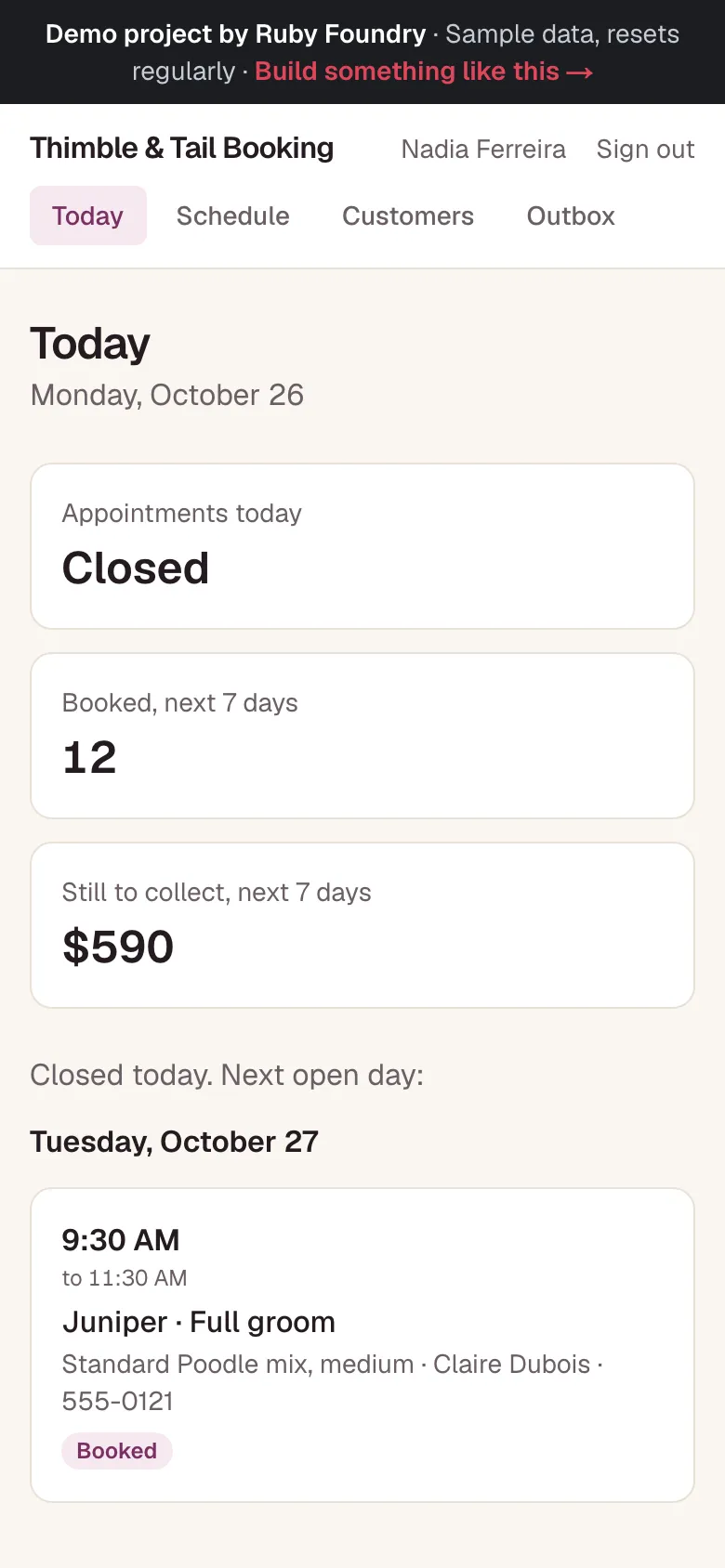
Today lists the appointments in order with the dog, the service, and the customer's phone, plus what's booked for the next seven days and what's still to collect. Each appointment can be marked done, marked a no-show, or cancelled with the deposit refunded.
The week at a glance
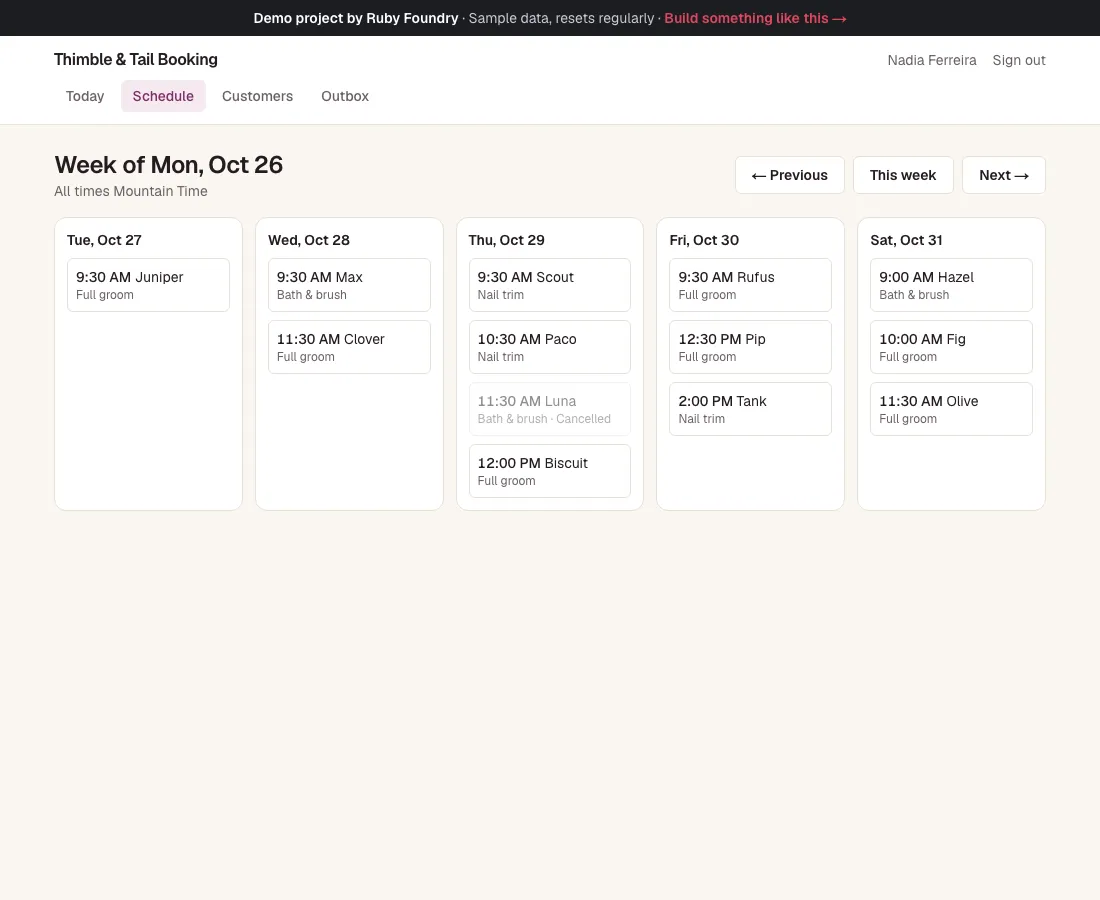
One column per open day, Tuesday to Saturday, with previous and next week.
Every message in one place
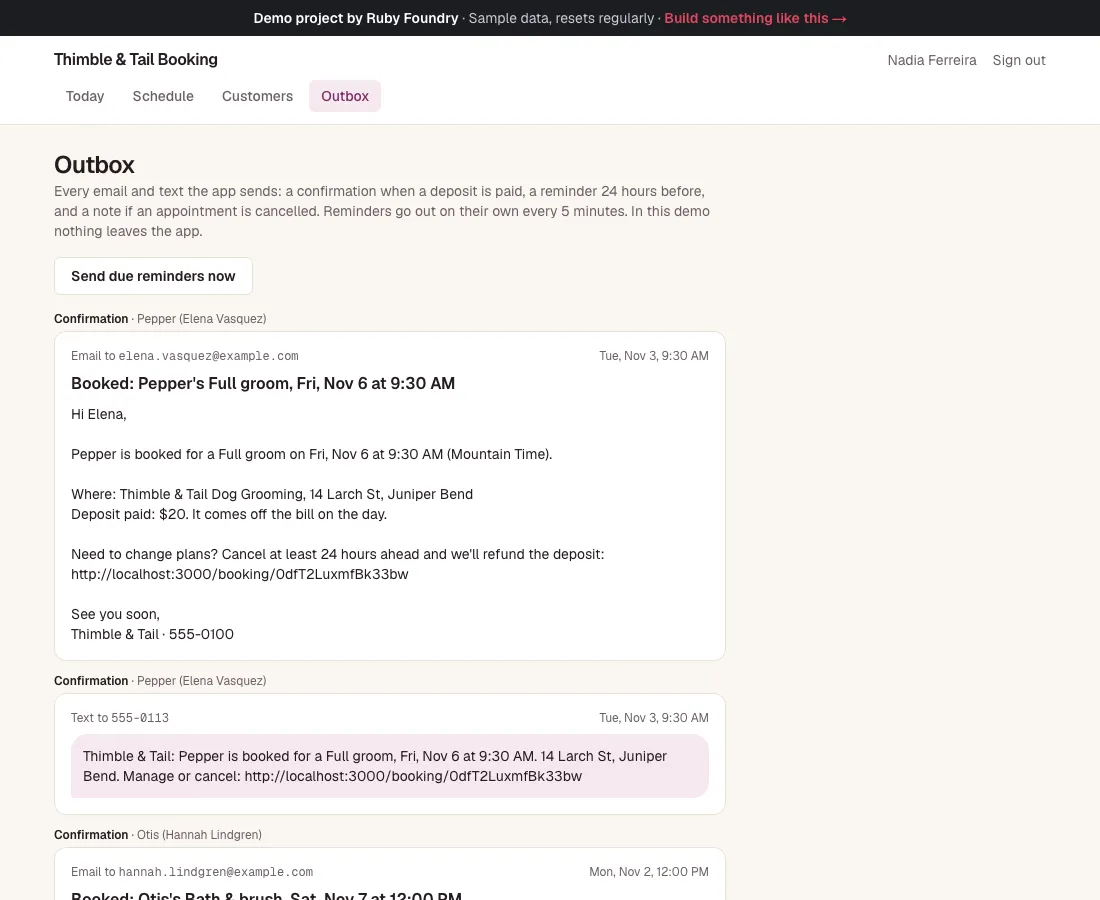
Confirmations, day-before reminders, and cancellations go out on their own. The Outbox shows each email and text exactly as the customer saw it; in the demo nothing is sent.
Technology used
| Next.js and TypeScript | The app itself: the booking pages, the owner's app, and the server code behind them, in one widely known framework. |
|---|---|
| PostgreSQL | The database of customers, dogs, bookings, and deposits. One rule built into it makes a double booking impossible, even when two people click the same time at once. |
| Stripe (test mode) | Takes the deposit through Stripe's own checkout page once the business has a Stripe account. Until then the demo uses a built-in test checkout that takes only test cards. |
| date-fns-tz | Works out the free times in the shop's time zone, so 9:00 AM is still 9:00 AM on the days the clocks change. |
| Zod | Checks the booking form and explains any problem in one plain sentence. |
| An Outbox | Every confirmation, reminder, and cancellation, as the customer would see it. Switching on real email and text sending (for example Resend and Twilio) is one small, contained change. |
| A built-in timer | Sends the day-before reminders and frees unpaid holds every five minutes, without any extra service. |
| An installable web app | Puts the owner's app on her phone's home screen without the App Store, and says “You're offline” instead of showing an error when there's no signal. |
| Automated tests | Over fifty quick checks on the time slots, deposits, and messages, plus a robot that books, pays, and cancels in a real browser. |
Built to be handed over
Every project ends with two short guides, written for people rather than machines. The owner's guide explains, in plain words, how to run the software day to day. The engineer onboarding guide lets any developer you hire later find their way around the code, the hosting, and the data in an afternoon. You keep the code, so you are never stuck with us.
For this project, the owner's guide includes lines like this:
“To put it on your iPhone, open the sign-in address in Safari, tap Share, then Add to Home Screen.”
What a project like this looks like
Scope
- The idea call and a clickable sketch you try on your own phone
- Public booking with real time slots and deposits
- The owner's app: today, the week, customers, reminders, and an Outbox
- The app on your home screen and the booking link on your website
- An owner's guide and an engineer onboarding guide
From first call to finish
- A free 30-minute call
- A written, fixed quote
- A kickoff call within a week of signing
- 4 weeks of building, with a written update each week
- Launch and handover
- 30 days of fixes included
Typical total
about $12,000
Your own quote is written for your project and fixed before we start.