SamplesDemo project
Inbox assistant
AI sorts email and makes calendar events.
For: A busy individual.
Live demo coming soon. The demo is built and working; the screenshots on this page are from it, with made-up data.
Before
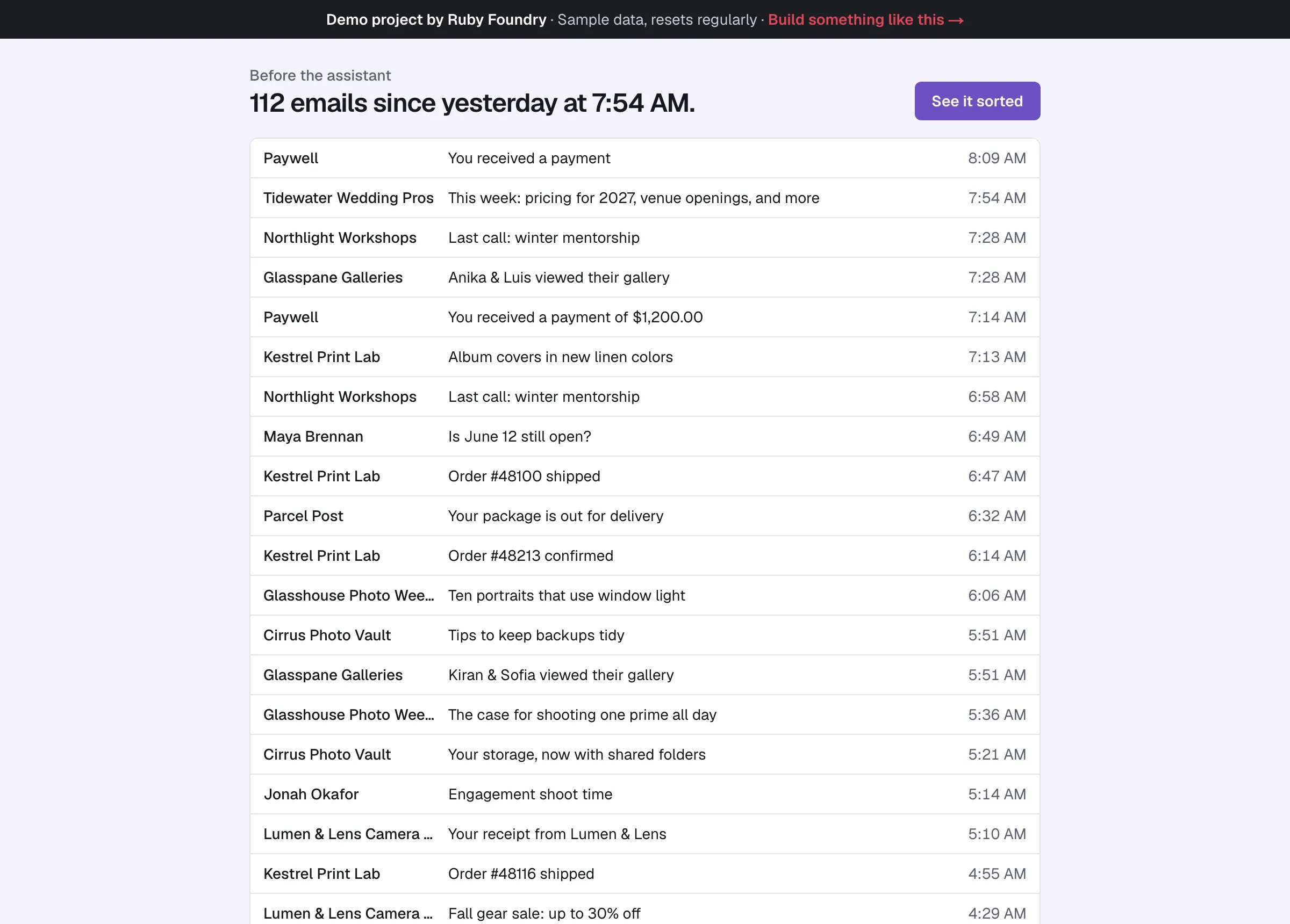
112 emails since yesterday, all in one list.
After
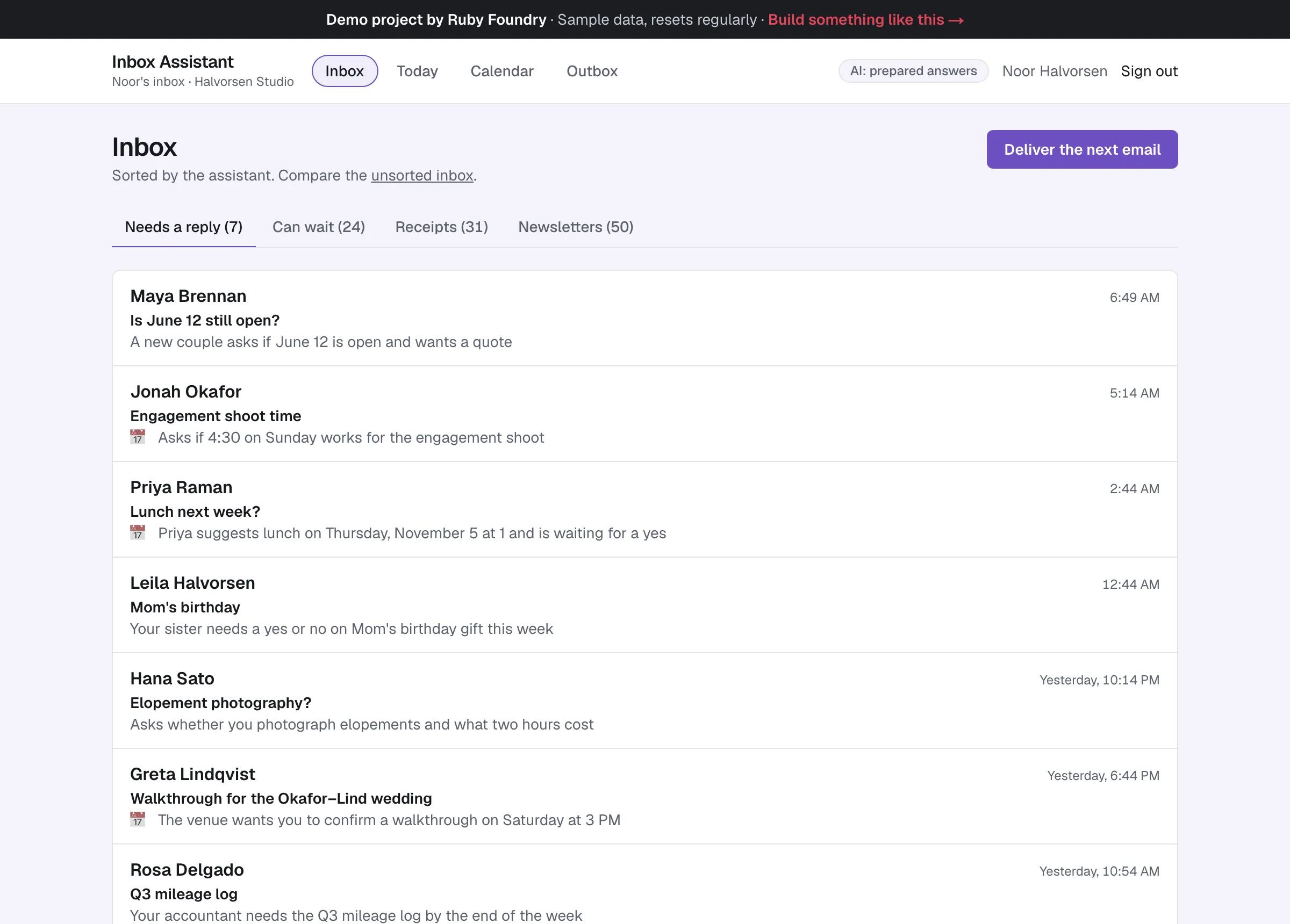
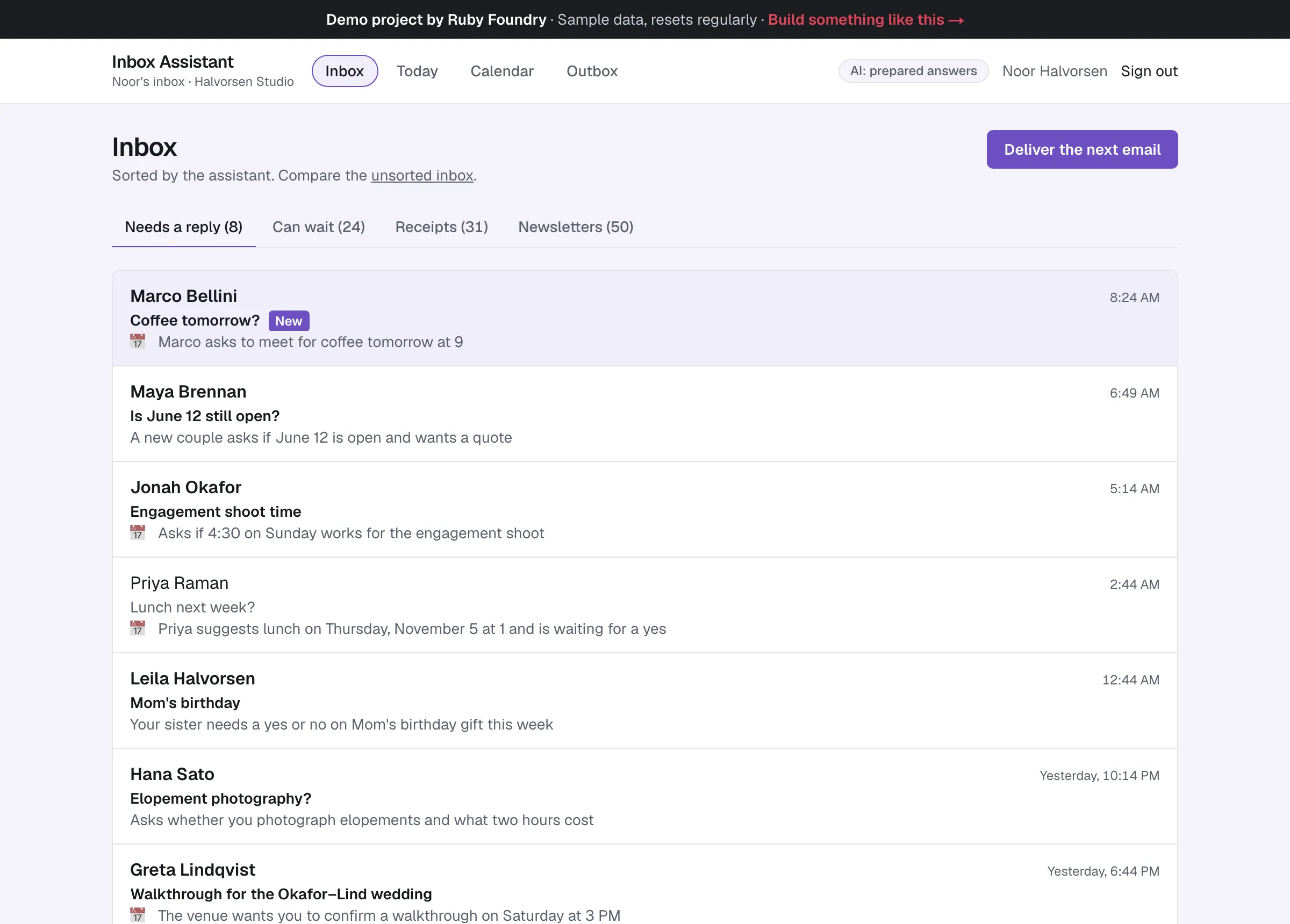
Sorted into four tabs, with one line saying why.
The problem
Noor is a freelance wedding photographer, and her inbox is her office. Yesterday it took in 112 emails.
- Seven of them needed her: two couples asking for quotes, a venue waiting for her to confirm a walkthrough, her accountant, her sister.
- The rest were receipts, gallery notifications, and newsletters, all in one list, newest first.
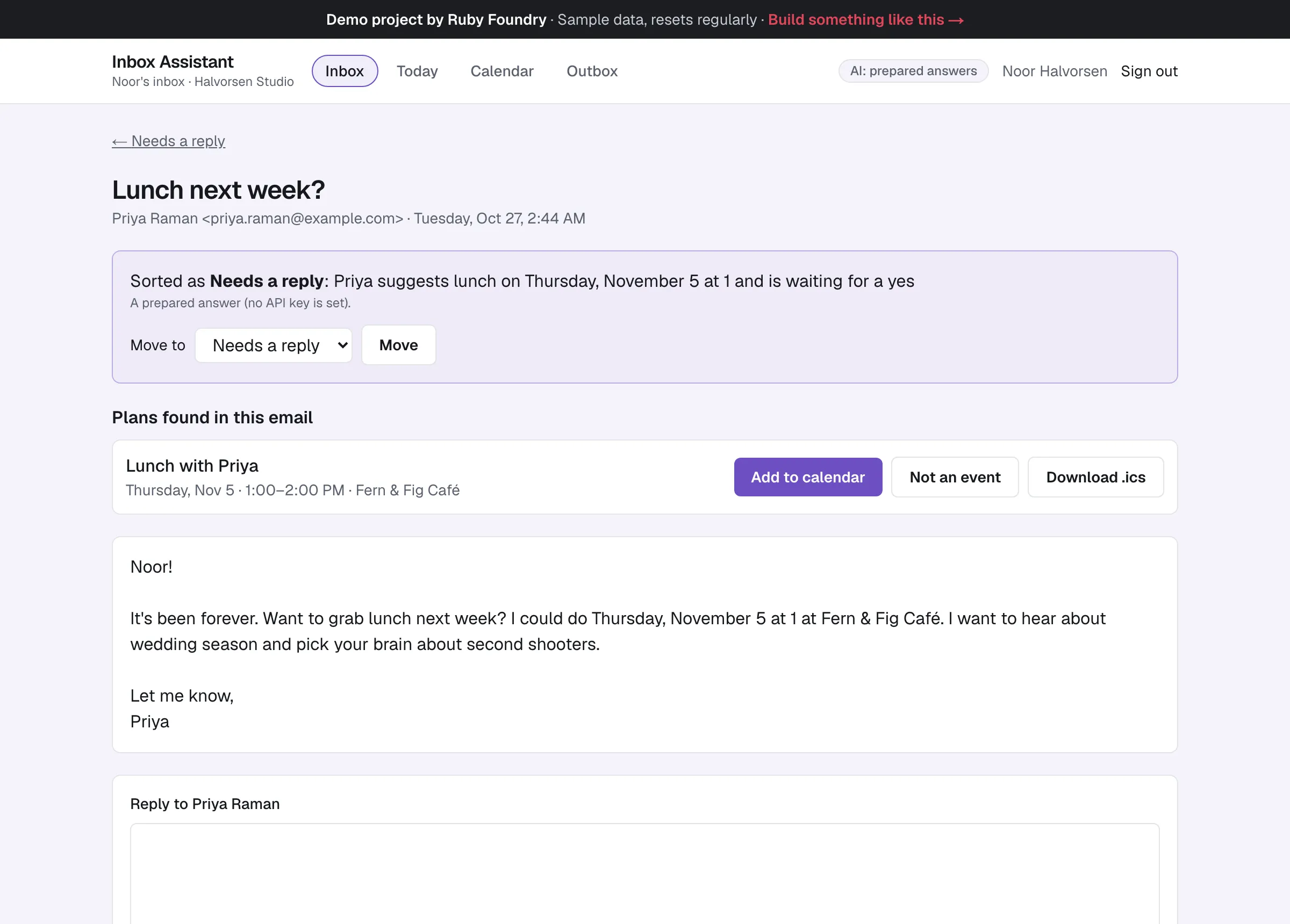
- Plans arrived in the middle of messages (“I could do Thursday, November 5 at 1 at Fern & Fig Café”) and only reached the calendar if she remembered to copy them.
She doesn’t want a new email program. She wants the one she has to tell her what matters.
How we approached it
We leave the inbox where it is and add an assistant on top, and we’d run it as a two-week project:
- Week 1: sorting you can trust. We agree on the categories with the owner (here: Needs a reply, Can wait, Receipts, Newsletters) and write down what each means. Claude reads each email and answers in a fixed format: a category, a one-line reason, and any plans with a day and time. An answer that doesn’t fit the format, or doesn’t make sense, is shown as “Couldn’t sort this one”, never guessed.
- Week 2: the summary, the calendar, and handover. A morning summary in plain sentences, plans offered as calendar events (added only when the owner clicks),
.icsfiles any calendar app opens, and two guides.
Two rules held throughout. The assistant suggests; the owner decides: it never replies, deletes, or adds an event on its own. And an email is data, not instructions: a message that tries to tell the assistant what to do can at most be sorted wrongly, and the owner can move it.
For the demo, it works on a made-up inbox. Connecting a real inbox would be a separate decision, made with the owner’s permission. The demo runs on prepared answers written in exactly the format Claude returns, so it makes no AI calls; given an API key, the same app sorts with Claude.
What it does
Plans become events
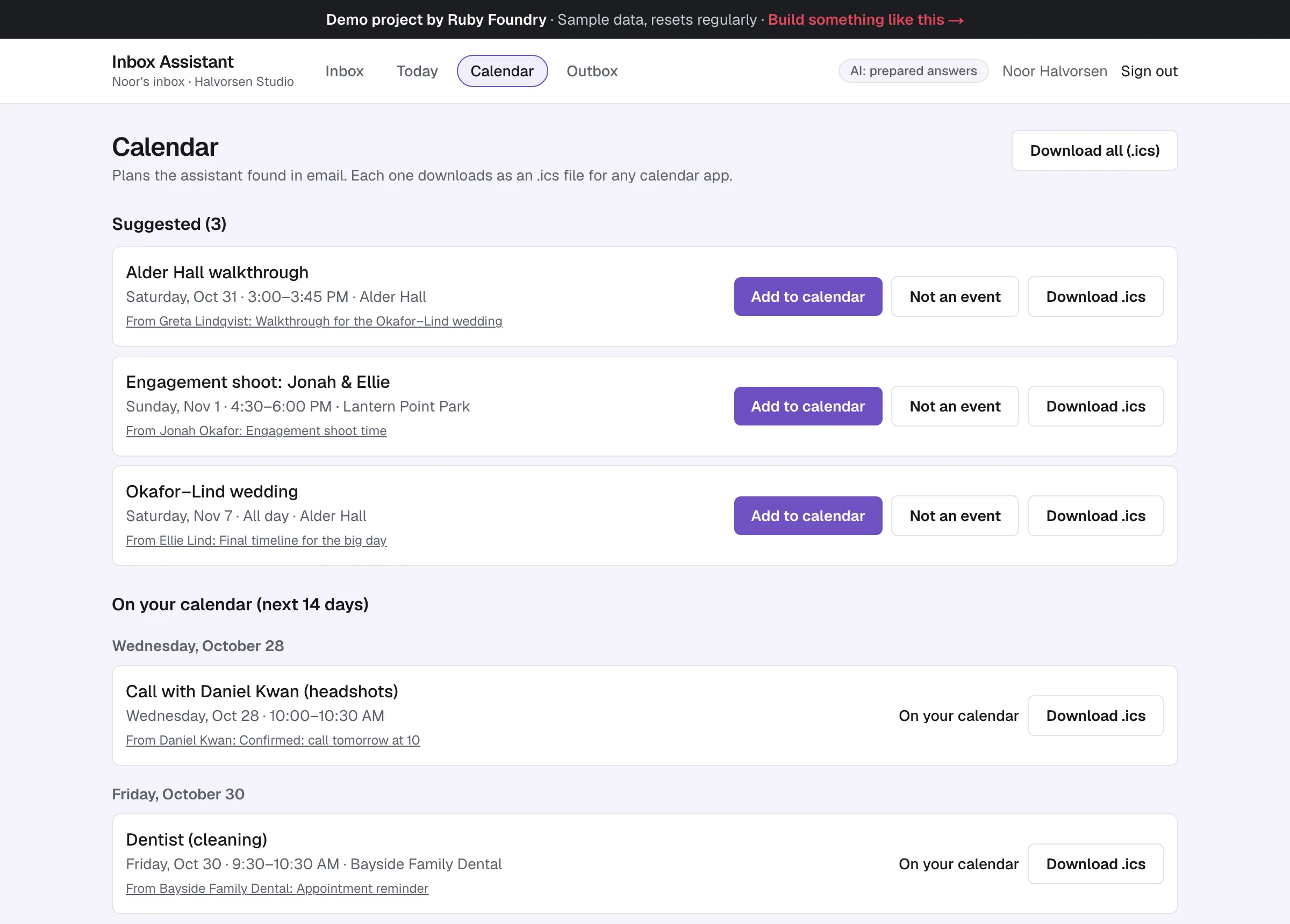
Priya's “Lunch next week?” shows Lunch with Priya, Thursday, Nov 5 · 1:00–2:00 PM · Fern & Fig Café, with Add to calendar and Download .ics. Nothing is added until the owner clicks.
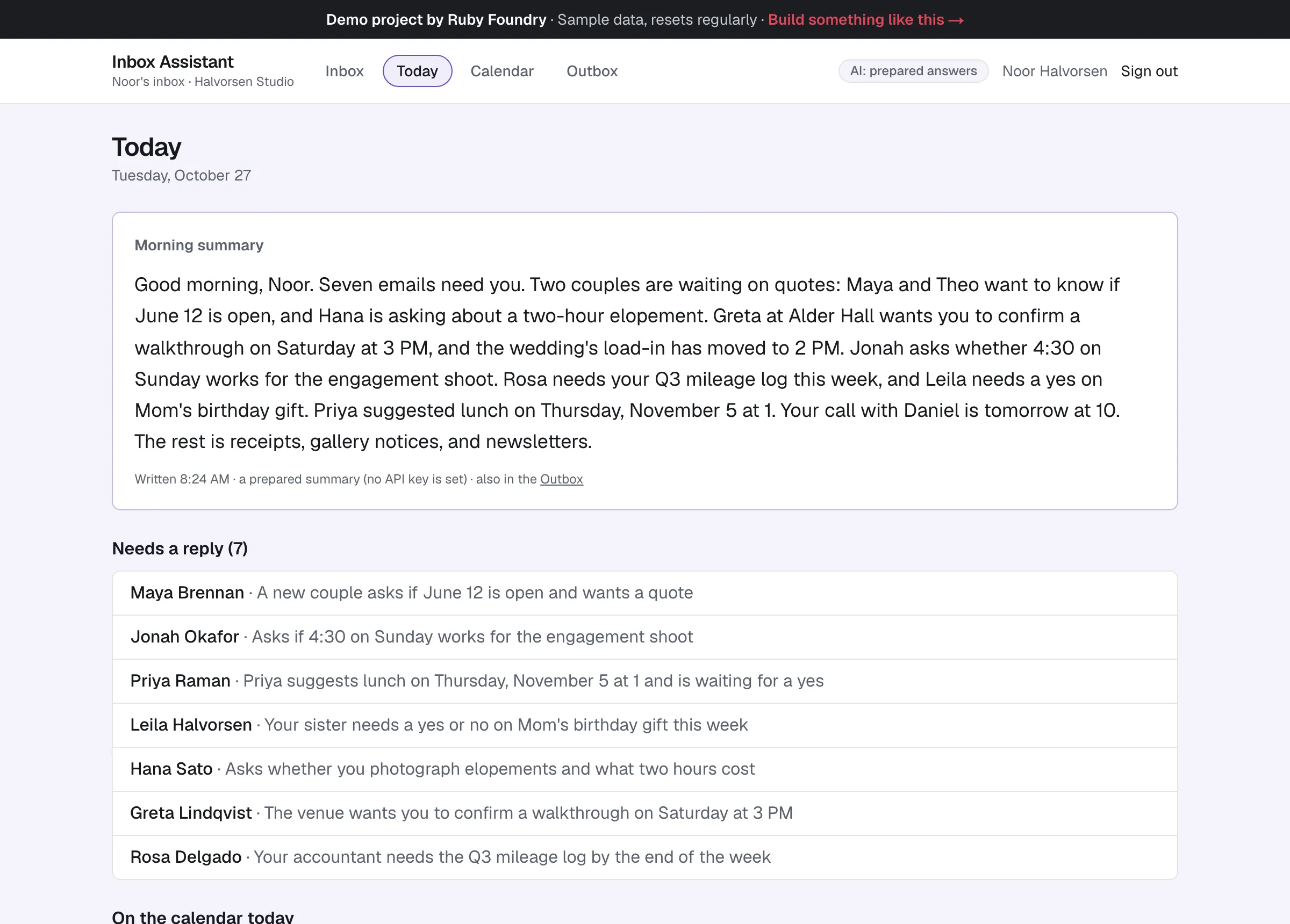
A morning summary
“Good morning, Noor. Seven emails need you. Two couples are waiting on quotes…” It's also sent as the morning email.
A calendar of what was found
Suggested plans to add or dismiss, and the next two weeks, each downloadable for Google, Apple, or Outlook calendars.
New mail, sorted as it lands
A new email arrives already sorted, with its reason and any plan spotted. In the demo, a button plays the part of new mail arriving.
On a phone too
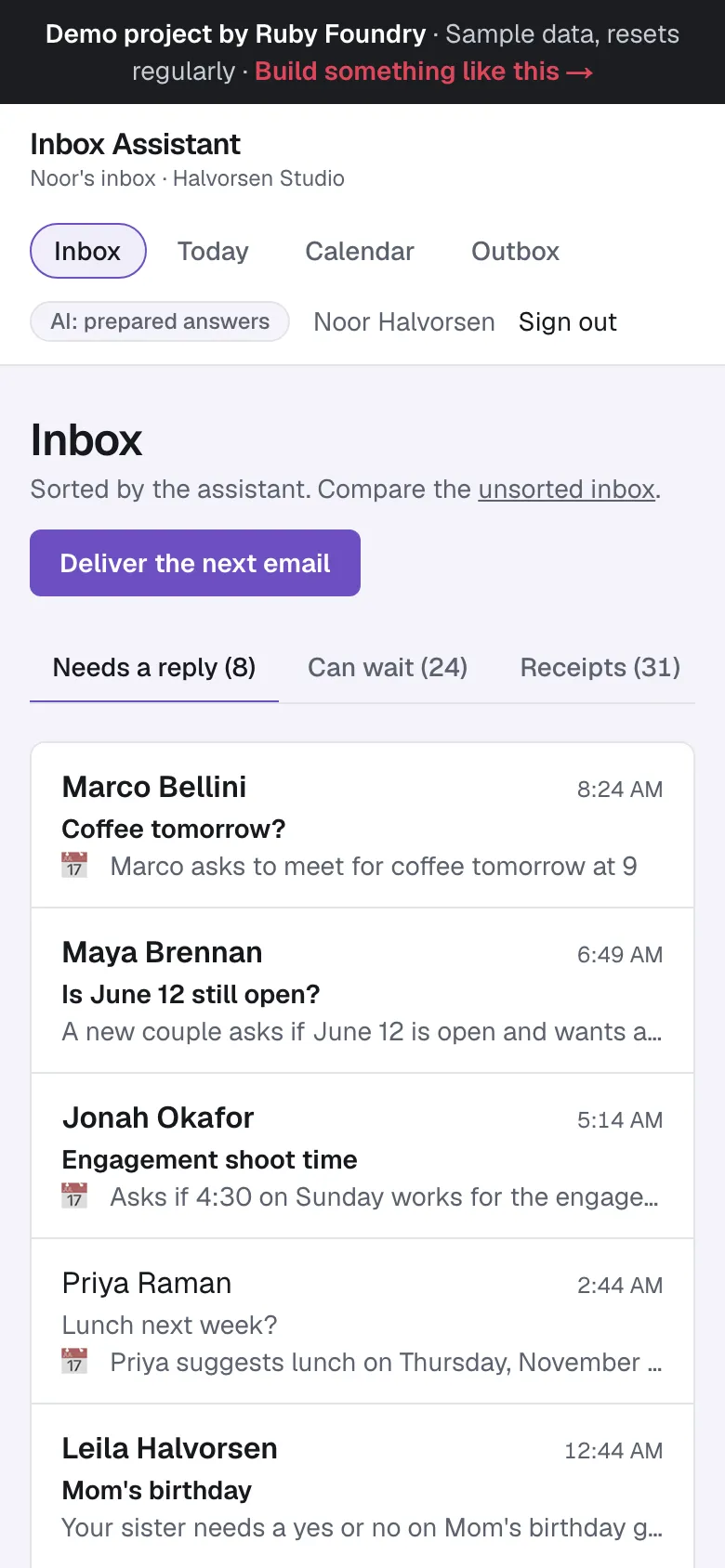
The same sorted inbox fits a phone screen: the tabs with their counts, and each email's reason under its subject.
Technology used
| Next.js and TypeScript | The inbox, the email view, Today, and the Calendar, in one widely known framework. |
|---|---|
| Claude API | Reads each email to sort it and pull out plans (a faster, cheaper model, Claude Haiku), and writes the morning summary (a stronger one, Claude Opus). Answers are checked against a fixed format before they're used. |
| PostgreSQL | Emails, the assistant's answers, the plans found, and a daily limit on AI calls, so a busy day can't run up a bill. |
| ICS files | The standard calendar-event format, so a plan can be added to any calendar app. |
| An Outbox | Replies and the morning email, exactly as they'd be sent. In the demo, nothing leaves the app. |
| Automated tests | Checks on every sample answer, on dates across the daylight-saving change, on what happens when the AI fails, and a robot that clicks through the inbox in a browser. |
Built to be handed over
Every project ends with two short guides, written for people rather than machines. The owner's guide explains, in plain words, how to run the software day to day. The engineer onboarding guide lets any developer you hire later find their way around the code, the hosting, and the data in an afternoon. You keep the code, so you are never stuck with us.
For this project, the owner's guide includes lines like this:
“Click Add to calendar. Then click Download .ics and open the file: your calendar app adds the event.”
What a project like this looks like
Scope
- Sorting into categories you agree on, with a reason for each email
- A morning summary in plain sentences
- Plans offered as calendar events, added only when you click
- An owner's guide and an engineer onboarding guide
From first call to finish
- A free 30-minute call
- A written, fixed quote
- A kickoff call within a week of signing
- 2 weeks of building, with a written update each week
- Launch and handover
- 30 days of fixes included
Typical total
about $7,000
Your own quote is written for your project and fixed before we start.