SamplesDemo project
Paper forms to online intake
A paper form → a form that files itself.
For: A small clinic.
Live demo coming soon. The demo is built and working; the screenshots on this page are from it, with made-up data.
Before
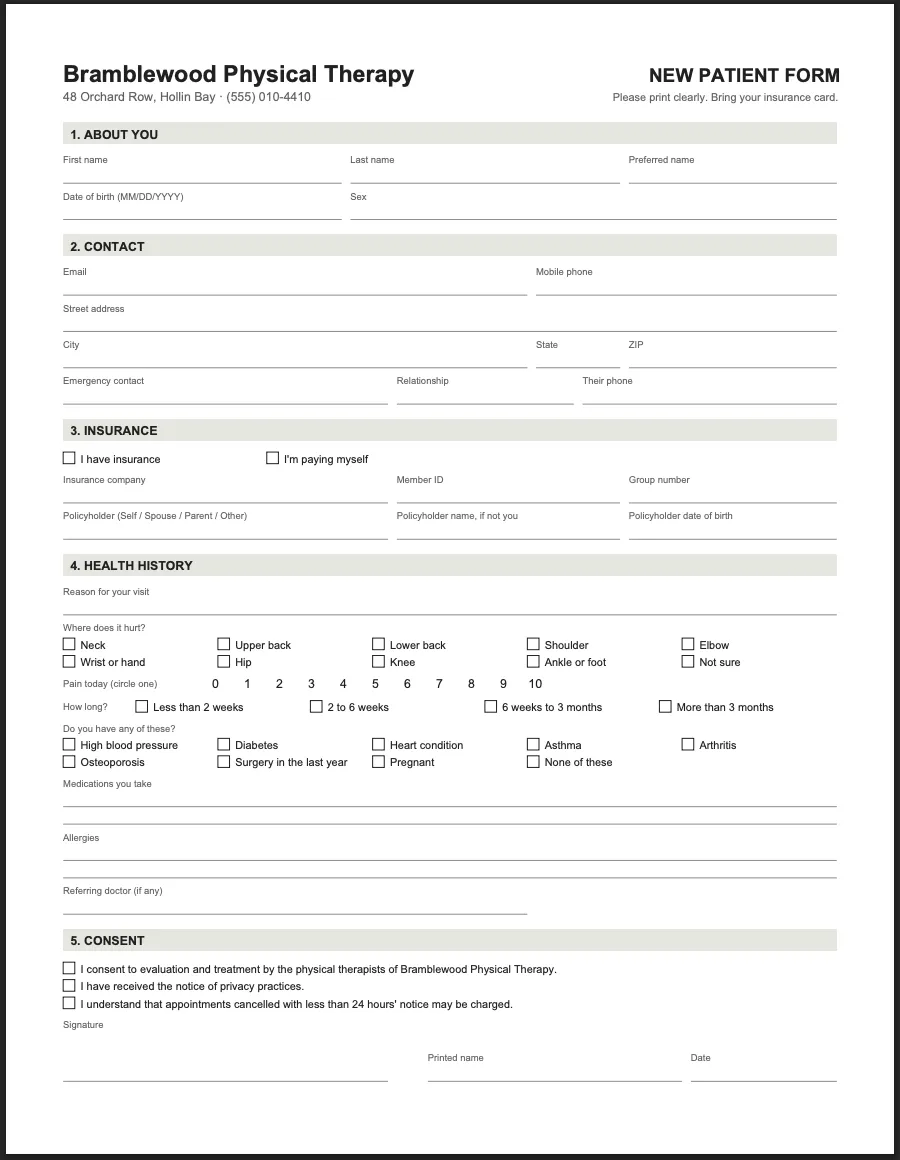
A clipboard form, filled in by hand in the waiting room.
After
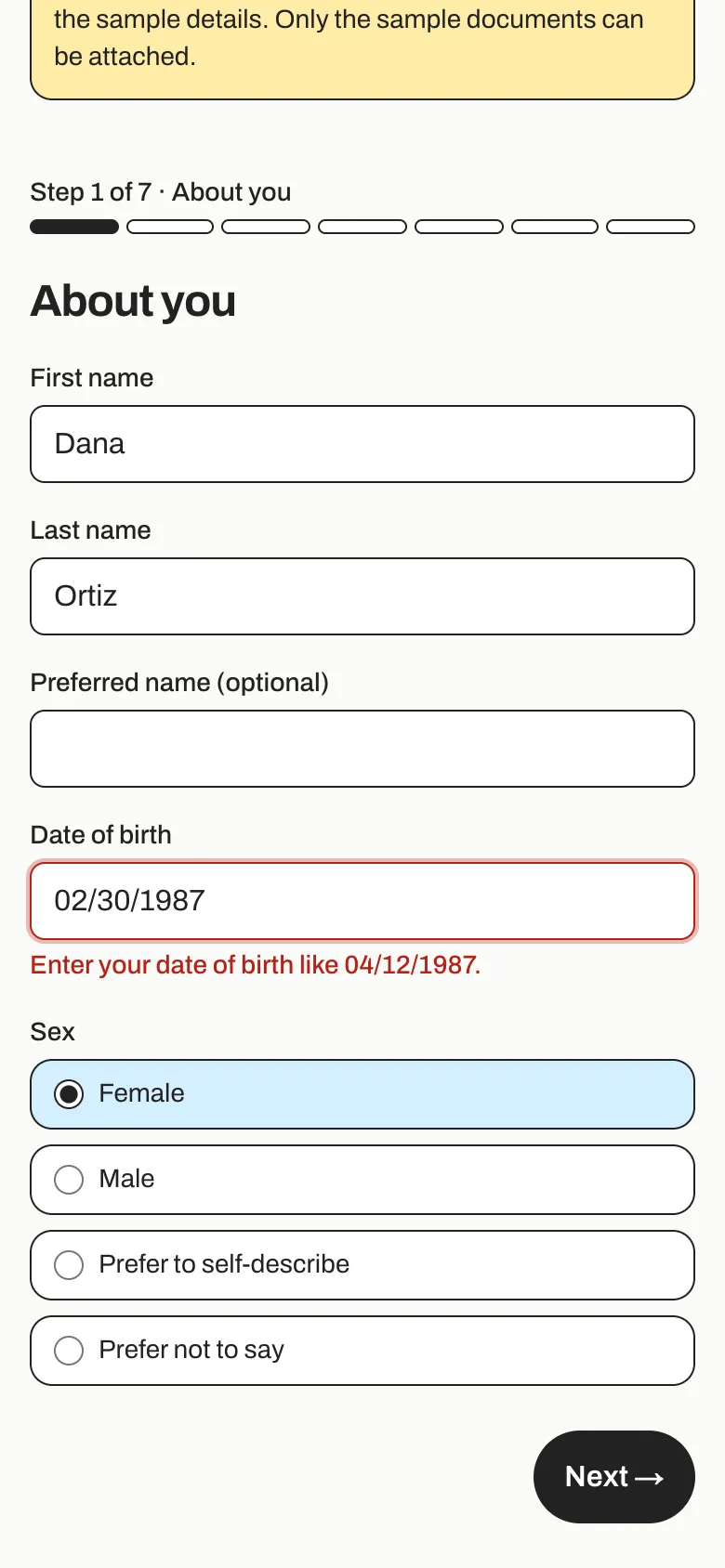
The same form on a phone, checking each answer as it goes.
The problem
Bramblewood is a three-therapist clinic, and every new patient starts the same way: a clipboard in the waiting room.
- Patients arrive 15 minutes early to fill in two sides of paper, often without their insurance card.
- Someone at the front desk types every answer into the computer between phone calls. Handwriting gets misread (“is that a 1 or a 7?”), and skipped boxes are found only later.
- The insurance card is photocopied, the paper goes in a cabinet, and the patient waits while it’s done.
The clinic doesn’t want a new system. It wants the form it already has, without the retyping.
How we approached it
We start from the form the office already uses, and we’d run it as a three-week project:
- Week 1: the form, question by question. We go through the paper form with the front desk and write down the rule behind every box: what counts as a date of birth, when policyholder details are needed, which documents are required. Each rule gets a plain sentence for when it isn’t met. The same rules run on the patient’s phone and on the server.
- Week 2: the phone form and filing. Seven short steps that keep their place if the signal drops, photos of the insurance card, a signature on the screen, and filing: the answers go into the right patient record (new, or matched by email, or by name and date of birth), and a filled-in copy of the clinic’s own paper form is saved as a PDF.
- Week 3: the front desk, the links, and handover. An Inbox of new forms, patient search, “Send a form” for people booked next week, the confirmation email, and two guides.
One rule held throughout: the filed copy looks exactly like the old paper form. The office’s records, printouts, and habits stay the same; only the retyping goes.
What it does
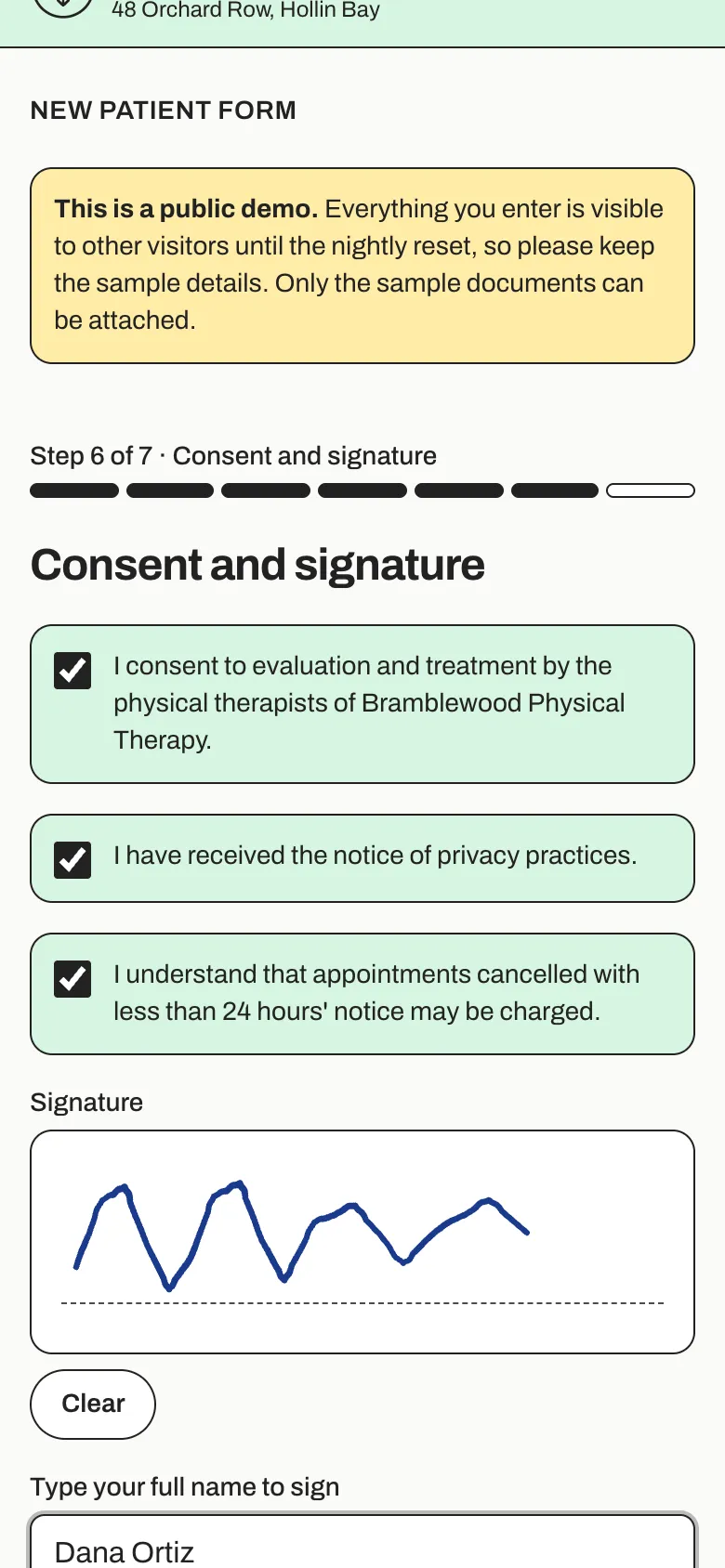
A signature on the screen
Three consents to tick, then a signature drawn with a finger.
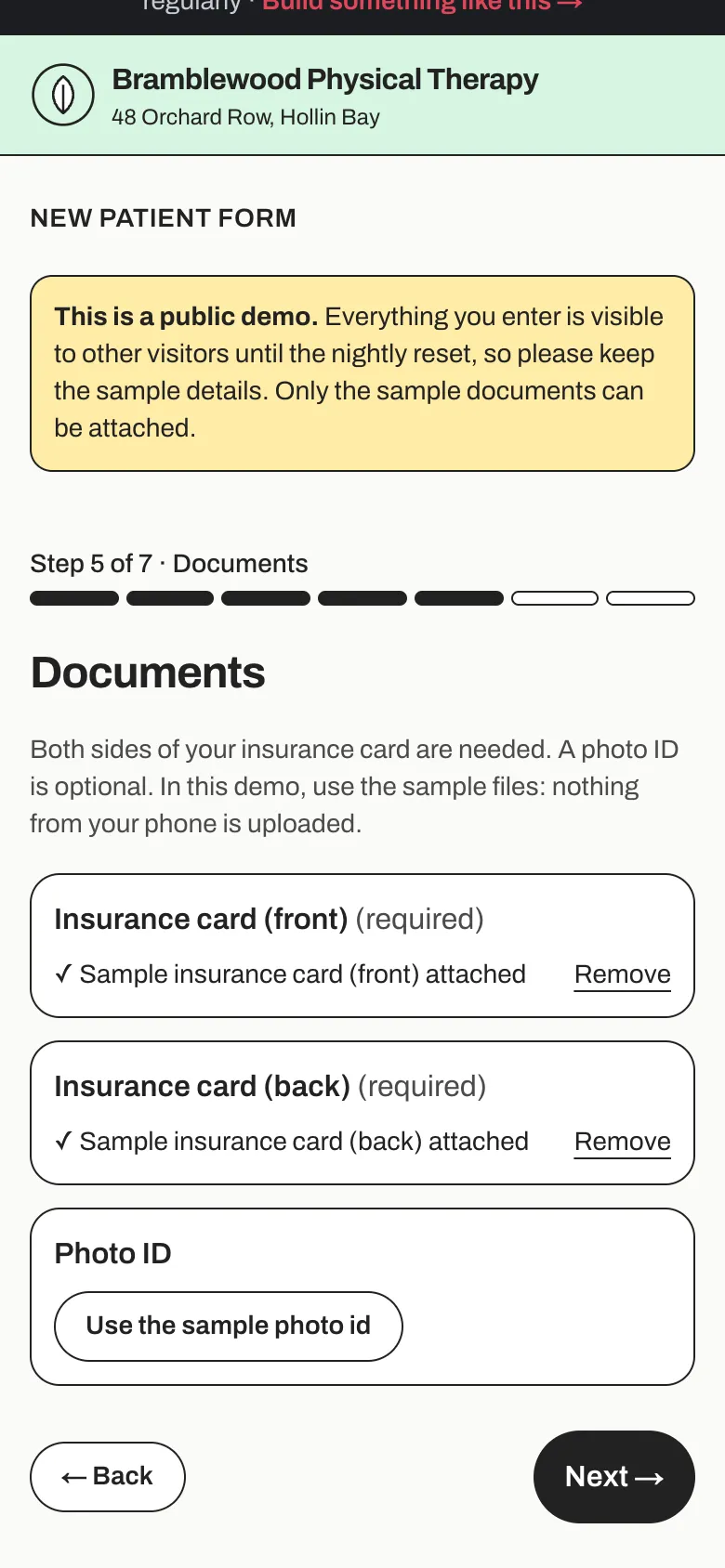
Documents with the form
Both sides of the insurance card are required and a photo ID is optional, so nobody photocopies a card at the desk.
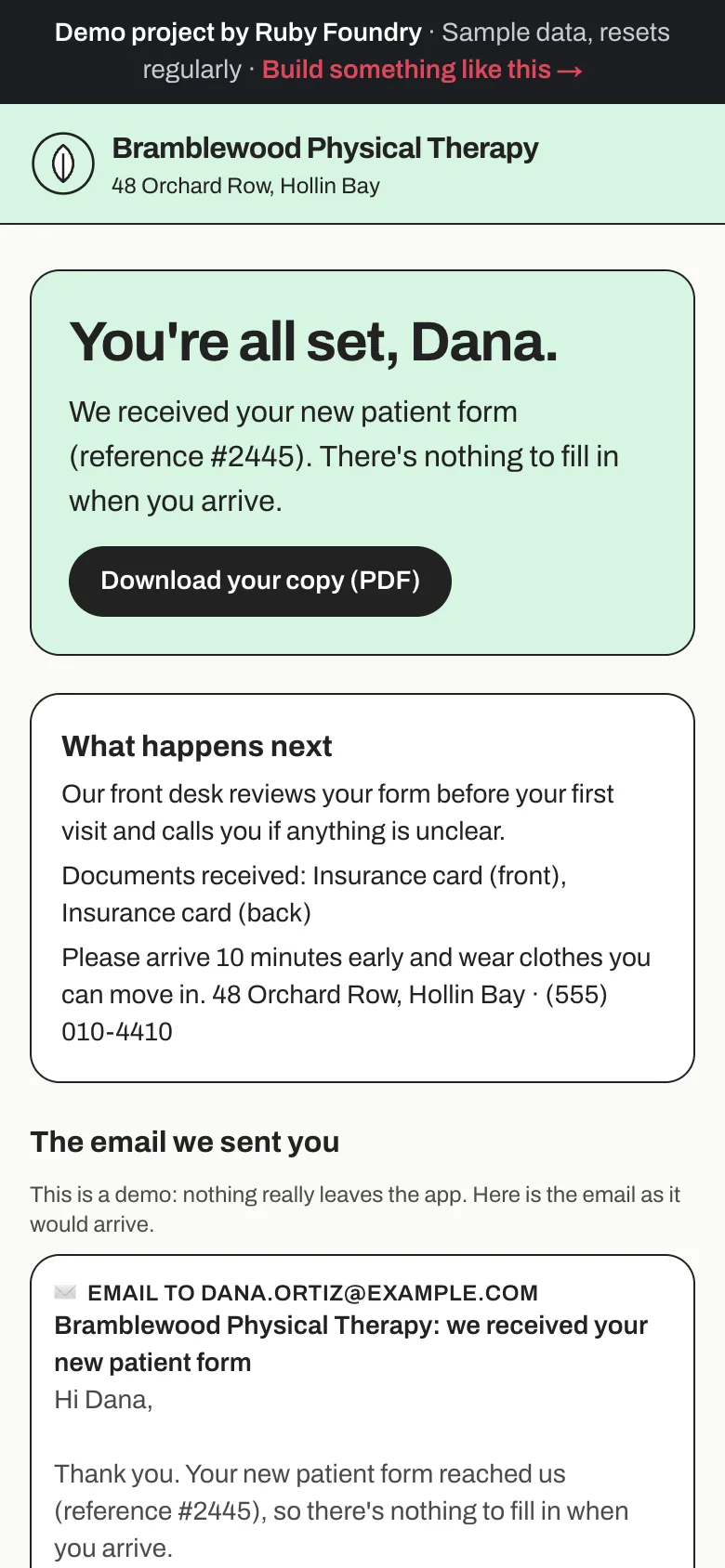
Filed in seconds
The patient sees “You're all set” with their own PDF copy and the confirmation email. At the front desk, the form is already in the patient's record.
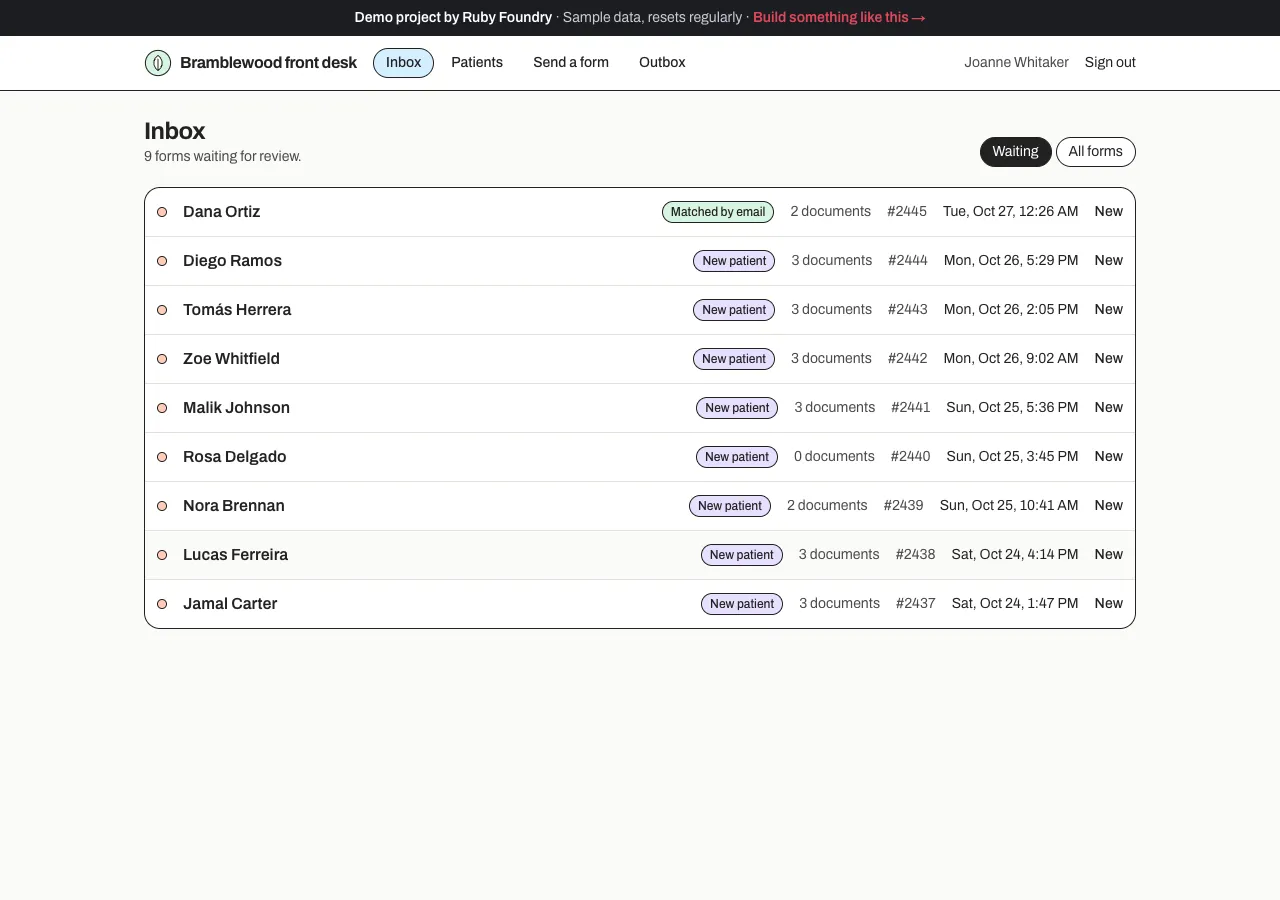
The front desk's Inbox
New forms first, each showing how it was filed: new patient, matched by email, or matched by name and date of birth. “Send a form” emails a new patient a link that starts with their name and email, and shows when it comes back.
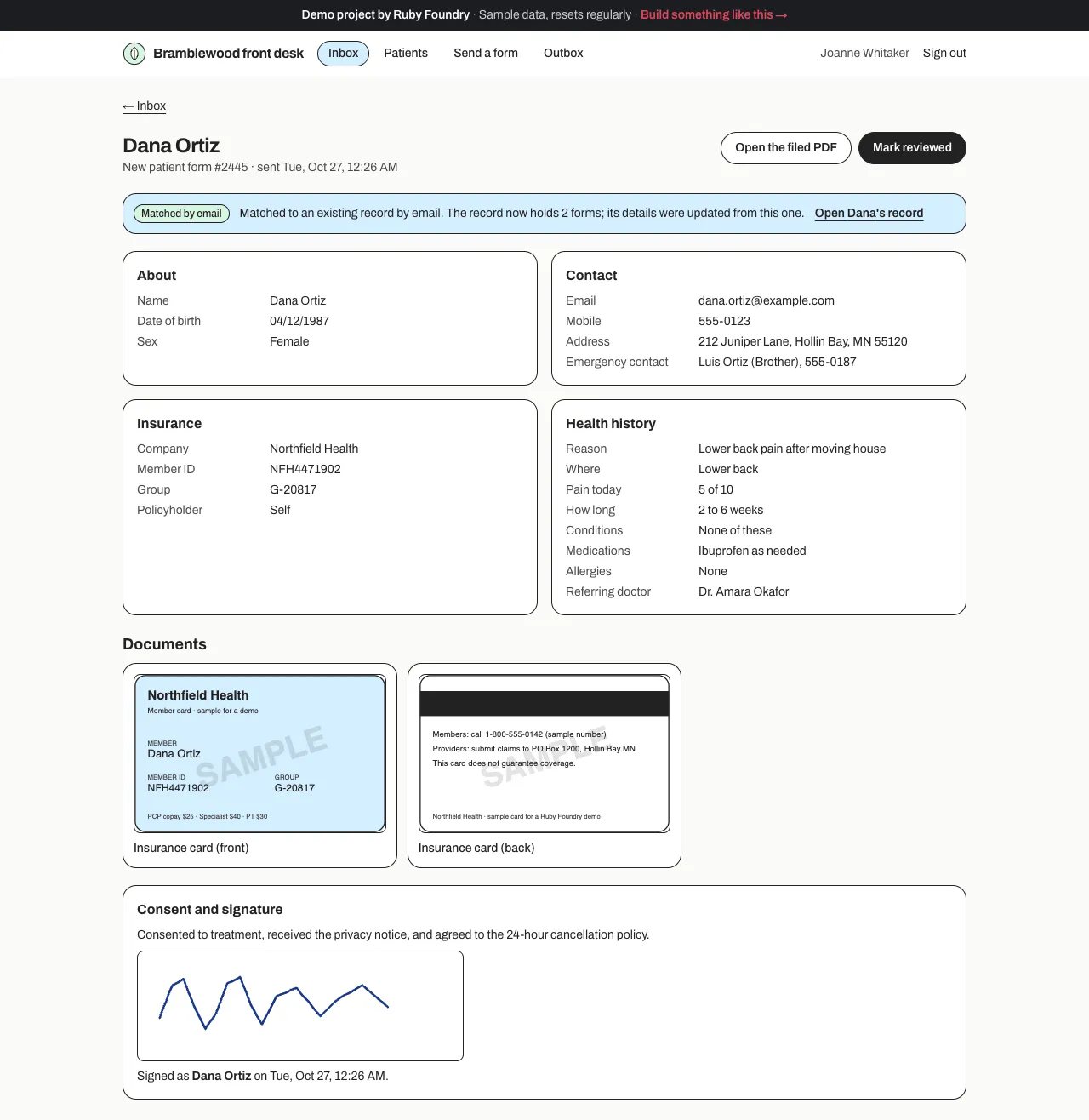
Already in the record
Each form opens with every answer in its place, the insurance card photos, and the signature, and says which record it was filed into.
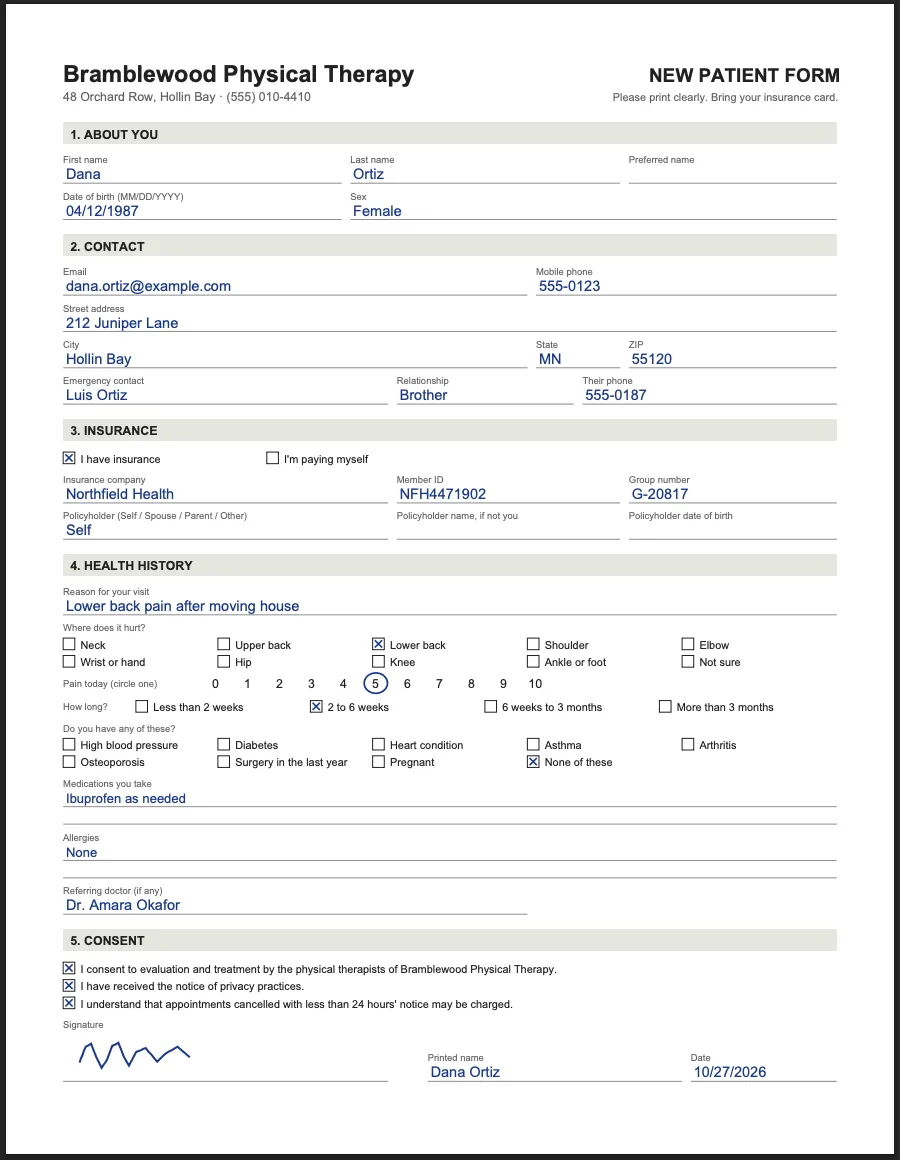
The clinic's own form, filled in
Every answer neatly on its line, boxes ticked, the signature drawn in, and an office-record page listing the documents received.
Technology used
| Next.js and TypeScript | The patient's form, the front desk, and the server code behind them, in one widely known framework. |
|---|---|
| React Hook Form and Zod | The step-by-step form, with one set of rules that runs on the phone and again on the server, and a plain message for every problem. |
| signature_pad | Captures a drawn signature. A legally binding e-signature needs a signing service; this demonstrates the flow. |
| pdf-lib | Draws the clinic's paper form, blank or filled in, so the filed copy looks just like the original. |
| PostgreSQL | Patients, forms, documents, and filed PDFs, kept together so a form is never filed halfway. Swapping in cloud file storage (such as Cloudflare R2) is a one-file change. |
| An Outbox | The confirmation, the front-desk notice, and form links, exactly as sent. Switching on real email (for example Resend) is one small, contained change. |
| Automated tests | Dozens of checks on every rule, on matching patients, and on files that pretend to be something they're not, plus a robot that fills in the form on a phone-sized screen. |
Built to be handed over
Every project ends with two short guides, written for people rather than machines. The owner's guide explains, in plain words, how to run the software day to day. The engineer onboarding guide lets any developer you hire later find their way around the code, the hosting, and the data in an afternoon. You keep the code, so you are never stuck with us.
For this project, the owner's guide includes lines like this:
“Open Send a form, enter their name and email, and tap Send the form link. The list shows Waiting until they send it, then Form received.”
What a project like this looks like
Scope
- Every box on your paper form written down as a rule
- A short phone form with photos and a signature, saved if the signal drops
- Each form filed into the right record, with a copy that looks like the paper one
- An Inbox for the front desk and a way to send forms ahead of visits
- An owner's guide and an engineer onboarding guide
From first call to finish
- A free 30-minute call
- A written, fixed quote
- A kickoff call within a week of signing
- 3 weeks of building, with a written update each week
- Launch and handover
- 30 days of fixes included
Typical total
about $7,000
Your own quote is written for your project and fixed before we start.